

Use cases
- Showcase work: Put a published project in the marketplace for discovery and trial.
- Remixable templates: Others can start from your Demo or full app quickly.
- Creator earnings: Set a remix price on the full app; authors earn when others pay to remix.
- Ship updates: After listing, submit new versions when the project evolves; approved updates replace the listing.
- More exposure: Listed apps can be recommended in chat when users describe related needs.

Publish before submitting. The marketplace shows published work; unpublished projects must be published first under Operations → Publish.
Entry 1: Home app marketplace
Scroll to App marketplace on the home page and use the upload button in the top-right corner to pick a project and submit.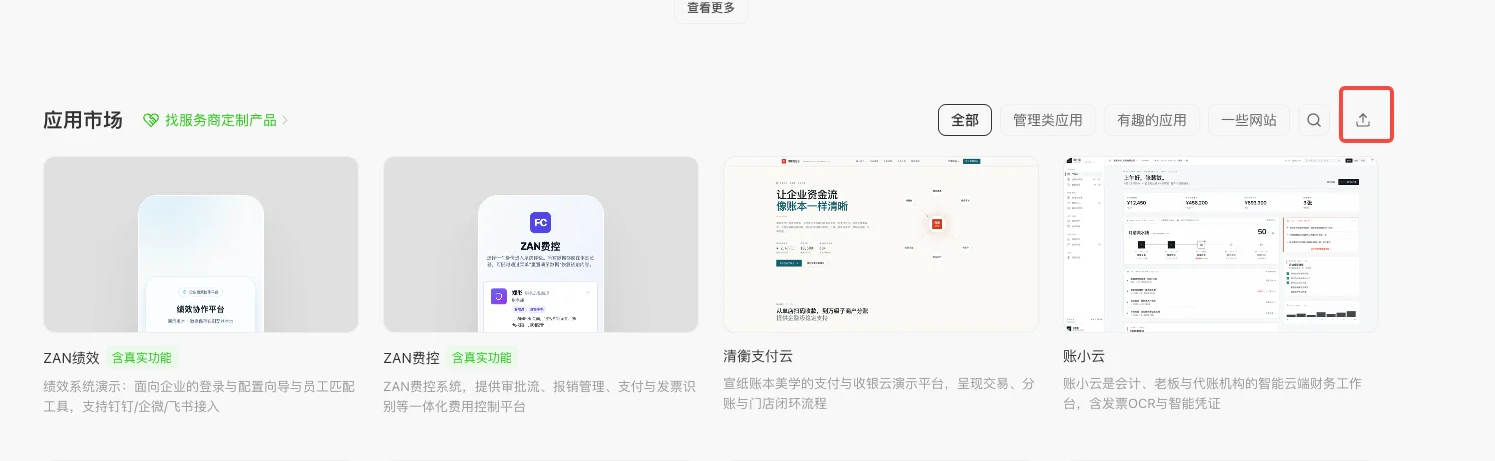
Entry 2: Project Operations
Open the project, go to the Operations tab, and choose List on app marketplace in the left menu. Submit listings, check review status, and submit new versions after updates.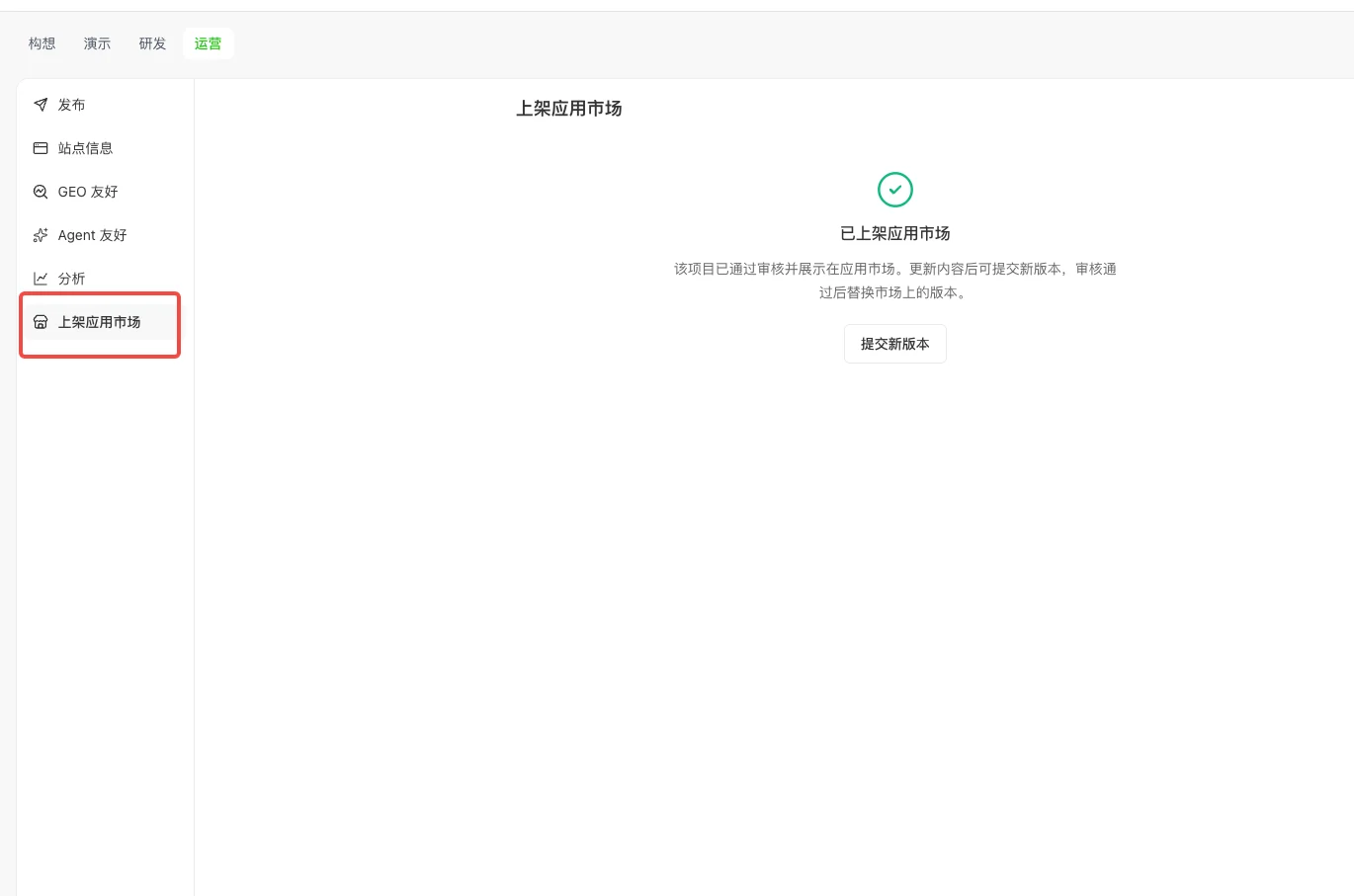
Prepare Preview before listing
Listing is based on a Preview (Demo) version. Before you submit, a Prepare Preview guide may appear (as in product). Typical options:- Use current Preview: continue the form when you already have a suitable Preview.
- Create Preview from latest Build: use when Build is ahead of Preview, or you need a fresher Preview.
What to provide when submitting
After you submit
- The application enters backend review.
- After approval, the listing is public in the marketplace.
- Others can remix the Demo for free or spend credits on the full app.
- Full-app remix fees are returned to the author per product rules.
- Submit new versions when the project updates; approved versions replace the live listing.
Listing tips
- Make sure the published project loads and works end to end.
- Use a clear one-liner on the problem you solve.
- In the detailed description, cover audience, core capabilities, and what remixers can change.
- Demo should communicate value quickly; full app keeps complete, reusable functionality.
- If the full app is paid, explain what paid remix unlocks.
Choosing how to deliver work
- Copy project: Creates an independent copy for the recipient; they can copy again.
- Transfer project: Moves ownership; the new owner can copy again.
- Build SaaS: One app serves many customers without handing over project copies; you implement accounts, permissions, and data isolation.
- List on app marketplace: Users remix from the marketplace; projects remixed from the marketplace cannot be copied again — suited when you want to limit redistribution.
FAQ
Can I submit without publishing?
Can I submit without publishing?
No. Publish under Operations → Publish first, then submit to the marketplace.
Can I update after listing?
Can I update after listing?
Yes. Go to Operations → List on app marketplace and click Submit new version. After approval, the marketplace listing updates.
What is the difference between Demo and full app?
What is the difference between Demo and full app?
Demo is for free trial of the experience; full app includes more complete business features and can set a paid remix price.
Can the full app remix price be free?
Can the full app remix price be free?
Yes. Set the price to 0 for free full-app remix.
Publish
Publish and verify live access before listing on the app marketplace.