

Download and install
Desktop- macOS: Supports Apple silicon and Intel; choose the matching chip when downloading.
- Windows: For Windows 10 / 11 64-bit.
- Android: For phones and tablets; scan to download, or copy the package link; see on-page install notes.
- iOS: iPhone / iPad beta coming soon.
- HarmonyOS: HarmonyOS NEXT native beta; scan on a HarmonyOS phone to join the Huawei AppGallery beta.
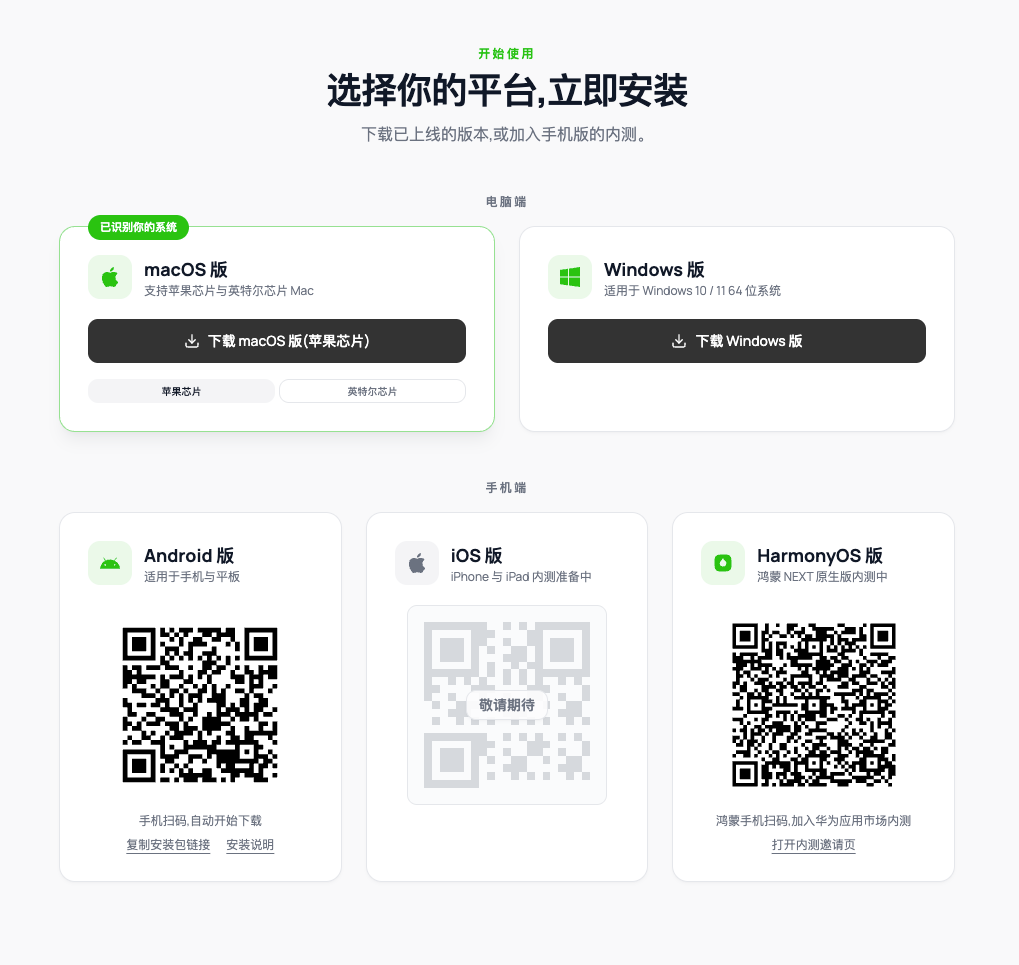
Download superun clients
Choose a desktop or mobile build (some mobile platforms are still in beta).
How the platforms differ
Android, iPhone (iOS), and HarmonyOS share the same mobile features. They mainly differ in download / release status (see Download and install above), not in capability split by OS.
In short:
- Web: Create and preview in the browser; you can view code. Formal code download / export needs the desktop client.
- Desktop: Fullest feature set — long sessions, code export, Programmer Mode, continuous chat, and desktop companion.
- Mobile: Android, iPhone, and HarmonyOS match in features — same account for chat creation, preview, continuous chat, and parallel background projects. Availability follows the download page (Android available; HarmonyOS beta; iOS coming soon).
Main capabilities
Continuous chat
Continuous chat lets you talk through ideas and turn scattered notes into actionable requirements. It is useful for:- Pages: inventory, layout, content, and visual direction;
- Features: what users can do and how states respond;
- Data: fields, relationships, and permissions;
- Flows: end-to-end steps from entry to goal;
- PRD: goals, scope, roles, rules, and acceptance criteria.
Programmer Mode (desktop)
Programmer Mode provides a more direct workflow for users comfortable with code. Switch between the standard creation flow and Programmer Mode by task. Code download / export happens in the desktop client: on the web, download guides you to install or open the desktop app, then export from the full code workspace. Viewing code is open to all users; download / export in the desktop client is free. See Code mode.Su Xiaoqiang companion and task alerts (desktop)
The desktop client includes a Su Xiaoqiang companion for on-desktop tips and task status. When a background task finishes, the client can send a completion alert so you can return even while working elsewhere.Parallel projects in the background
Web, desktop, and mobile all support running multiple projects in parallel. When you switch projects, running tasks can continue without waiting for one to finish. Use the task list to check status. Keep each project’s tasks clear and independent so results are easier to verify.When a task stops making progress
If a task shows no progress for a long time:- Do not repeatedly submit the same task.
- Record the project link, conversation link, and approximate start time.
- Capture a screenshot or screen recording of the current state.
- Contact superun customer support for help.
superun clients are project creation tools. They do not automatically turn a project into a native macOS, Windows, or mobile-store app. To pack the project as a phone installer, see Publish App.