

What version history and rollback do
Version history and rollback let you review and restore earlier versions of your project. Whenever you change a project, superun automatically saves version snapshots so you can roll back to any previous state. This is especially useful when you need to:- Recover from unwanted changes — quickly return to a last-known-good version
- Explore directions safely — try changes knowing you can revert
- Collaborate with confidence — keep a record of every iteration
Opening version history
To roll back, open your project’s version history first:- Click the version history icon (in the UI, usually in the top toolbar or sidebar)
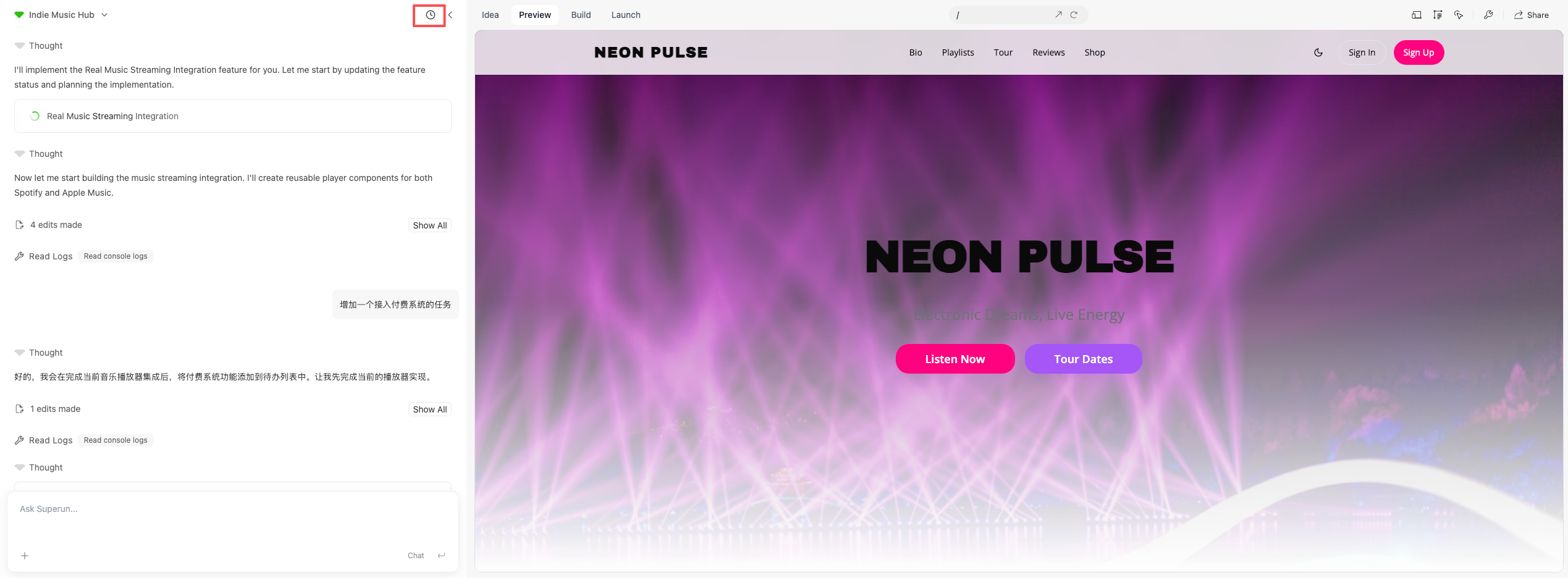
- The version history panel opens with a list of saved versions and their timestamps
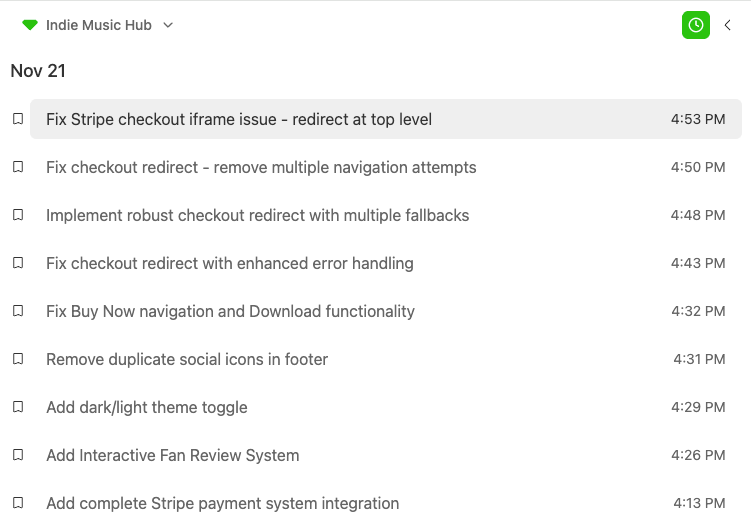
Restoring a previous version
Version rollback is the recommended way to recover project state safely. After opening version history:- Browse the list — review available versions and when they were created
- Select the version you want by clicking it
- Click “Restore this version” on the right to roll back
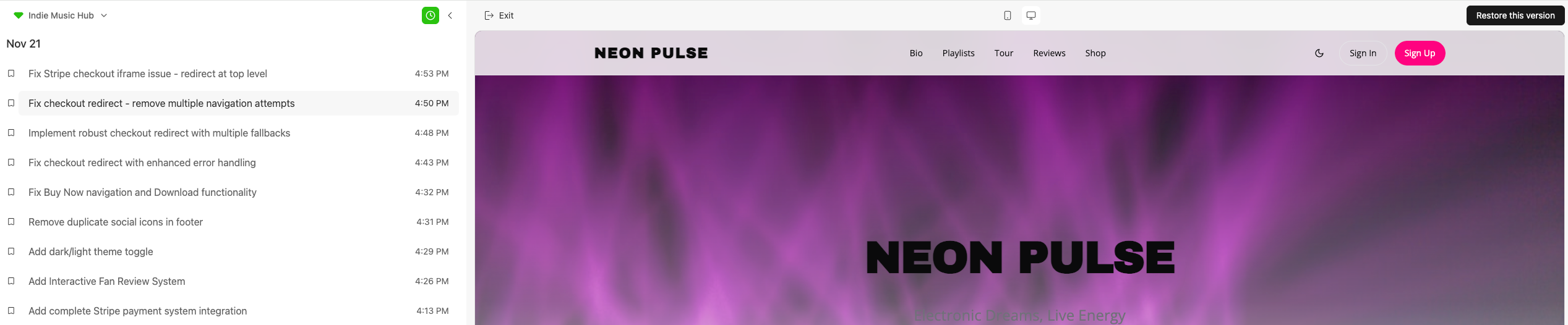
- Your project switches immediately to that version, restoring UI, styles, and configuration as of that point in time
Important notes
- Rollback is immediate — your current project state is replaced by the version you choose
- All versions are kept — you can roll back to any version at any time, even after restoring an older one
- Nothing is deleted from history — previous versions stay in the record so you can move between versions
- External data is not rolled back — rollback only affects project UI, styles, and configuration. External data sources (such as Supabase and other integrations) are not reverted and stay as they are regardless of which version you restore
Rollback red packet
When you roll back from the latest version, the system may grant a “rollback red packet” credit reward. Whether you receive one and how much depends on in-product prompts and your bill (Account → My credits → Usage details). When you receive a red packet, the product shows a dialog; “Red packet rules ↗” at the bottom of the dialog has full details.
When credits are reclaimed
If you decide to keep using the latest version instead of the rolled-back one, the “rollback red packet” credits are reclaimed (your usage details will show this).superun website
Browse examples of superun products and features.