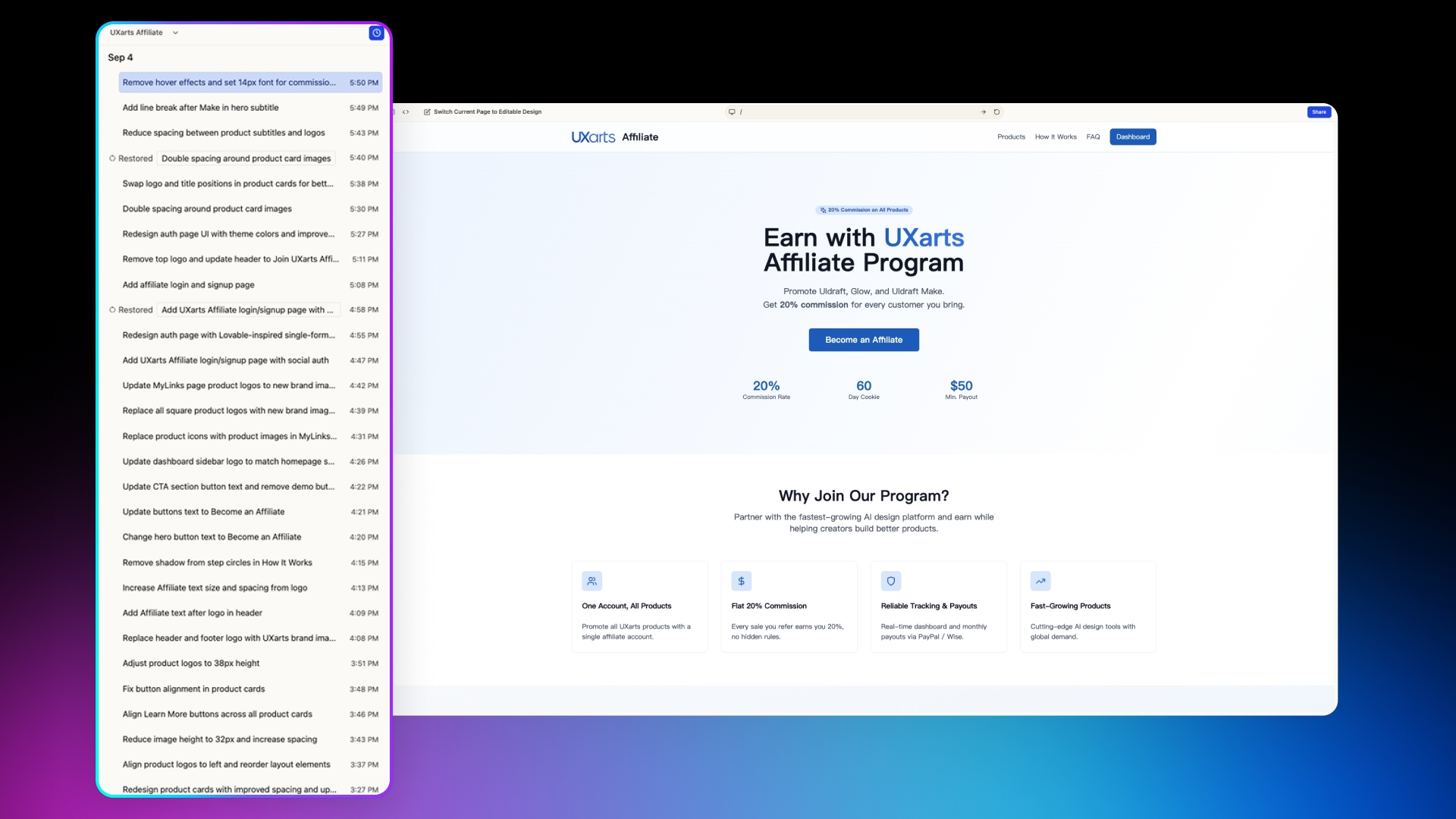
10/12/2026
superun — Cloud service credit packs, apply a past style, and dual-environment app builds
Cloud service credit pack
- Buy a cloud service credit pack for one project. It pays only that project’s cloud service fees. Purchase, balance, and expiry are under Operations > Publish. See Cloud service credit pack.
- The entry can appear before the project is published. A usage estimate is only for a published project that has never bought a pack.
- Each order is one offer, one copy. Credits last one calendar year; buying again does not extend older batches. Packs do not pay historical arrears and are non-refundable.
Apply a style from a past concept
- Apply a past concept’s style to the latest version and regenerate the product. Style only, not function or data.
- You cannot apply a style while generation is running.
Senior designer
- In both demo and formal build you can @Senior designer: it proposes a plan, then continues after you confirm.
- The first commission is labeled free. Later commissions are estimated at about 50–100 credits and billed on actual usage.
- Detailed-design pages include images and motion. After you move to the next step, that step’s history becomes read-only.
Sessions
- You can rename a session window. If a task can reuse work already done in another window, superun prompts you and points you there. See Multi-session windows.
- When main session is folded into the menu, you get a hint. Sessions created by other people are marked as such.
Publish App
- A build can target test (test data) or production (the latest successful publish). See Publish App.
- Build a phone trial package first, then a store package.
Campaign rebate
- During a campaign, credits are rebated in proportion. The rate and dates follow that campaign’s notice.
Also
- A verified custom Auth domain is not overwritten when you save configuration again.
- The team member list is paginated by join time.
- Remix earnings, invite rewards, and the storage subsidy are valid for one year from the date they are granted.
- Exporting to an AI platform requires the project to already have a live domain.
- Knowledge files and temporary files support select all.
- Stale in-progress features close themselves: if every todo is done and the feature sits idle for 3 days, it is marked complete; if todos are still unfinished after 7 idle days, it is closed. Queued work that has not started stays. Completed features and todos drop off the list after 90 days unused.
09/28/2026
superun — Multi-session windows, AI-native concepts, Publish App & personal access tokens
Multi-session windows
- A project can have multiple session windows (about 3): open New session beside main session so work stays separate. See Multi-session windows.
- Closed windows can be reopened from …. Deleting a window cannot be undone, but it does not stop a running task; main session still shows every message.
- If a task can reuse work already done in another tab, superun prompts you and points you there.
- Restoring a historical version draws a clear split: above the line is read-only; later work continues from the restored version.
Explore: original vs AI-native concepts
- Explore can show two concept comparison cards (original / recommended). On phones you can swipe sideways to pick.
- The recommended concept is labeled AI-native concept; continue with either the original or the AI-native option.
- Handoff uses a stepped progress card and can be retried on failure.
Formal build and one-feature delivery
- When a new session enters formal build, architecture planning is accepted by default: after the build README is written, the same round offers a feature checklist — it no longer stops at “confirm the plan” first.
- The concept you picked in Explore carries into requirements confirmation, so the questionnaire does not ask you to choose a concept again. The feature list is generated for the product you are actually building.
- Suggest more features starts from what else the product can do for users. Feature titles can state what the AI will do.
- After you check items to run, delivery is one feature at a time: only the item currently being integrated or accepted is In progress; the next one starts after that finishes.
- Todos show handoff progress: In progress when backend work starts, Done only after it is merged into the main project.
- If you report something broken or wrong, superun first checks the issue and acceptance criteria, then waits for your confirmation before changing code. General tasks can pop structured choices for you to decide or accept.
Publish App
- Operations now includes Publish App: pick Android / HarmonyOS / iOS, configure, cloud-build, and download an installer to test on a phone. See Publish App.
- You can browse past packages, failure reasons, and rebuild; icons are downloadable. Filing fingerprints are computed for you — you do not need to run certificate tools yourself.
- A successful HarmonyOS release package can be re-uploaded to a store channel without rebuilding or bumping the version. When a production iOS build needs your own Apple Developer account, the product spells out the requirements.
- This is not the same as downloading the superun desktop / mobile client. The extra mobile-device preview next to the preview pane is gone; use Publish App for a real device.
Publish to AI platforms
- Export the project as a WorkBuddy expert pack or Qoder plugin pack, fill in a unique ID, nickname, author, version, and optional avatar, then submit the pack to that platform yourself. See Agent-friendly.
Private-deploy access mapping and personal access tokens
- Private deploy adds an access mapping guide (cloud service URL / site URL must use the same scheme) with copyable ops notes. See Private deployment.
- Your account can manage personal access tokens: create, set expiry (including never expire), and delete. The plaintext token is shown only once. Use it so the CLI or scripts call open APIs as you. See Suxiaoqiang CLI.
Consult, billing, and more
- You can keep asking while a consult is in progress — no need to wait for the round to finish. See Free consult.
- Billing details can be filtered by the project’s top-level category.
- Public image generation uses a more stable model tier to reduce preview-channel churn (names follow the in-product menu).
- Occasional gateway failures retry once automatically; oversized multi-image turns are compressed and then continued.
- Tapping a plugin capability that is not enabled names the plugin and its status and asks you to turn the plugin on first.
- After multi-surface checks pass, if the platform already provides outer preview switching, the page no longer adds a second device / role switcher for demo convenience.
- A public WeCom feedback page lets you scan to send issues and suggestions (mainly China site). Messages are backfilled after a reconnect; Amap keys save correctly in the chat form.
09/18/2026
superun — WeChat QR login, API monitoring, direct-generate visual defaults & mini program domain sync
New skill: WeChat QR login
- The skill library now offers WeChat QR login: add WeChat Open Platform desktop QR sign-in to your site alongside your existing login methods. The wizard walks you through the authorized callback domain (demo and live domains explained separately) and takes AppID / AppSecret in a secure form. See WeChat QR login.
- The AI inspects your project’s current login setup and wires it in; the config page manages credentials and callback domains.
API monitoring
- Published projects can generate API monitoring: pick the endpoints that are safe to probe, set a frequency (10 minutes / hourly / daily), and start. See API monitoring.
- Endpoints that may modify data, cause side effects, or need real business parameters are filtered out automatically. After you publish a new version, regenerate the monitoring configuration.
Concept visuals and direct-generate defaults
- Free direct generate now defaults to a light first screen with an accent color derived from your content: developer, AI, and workspace briefs are no longer forced into dark themes or a green brand color. Asking for dark or a specific brand color still wins.
- The auto-pick style pool keeps shrinking: strong recipes (cyberpunk, terminal, Nothing, kinetic, neo-brutalist, hand-drawn, bold typography) and industry-preset looks (cozy, luxury, academic, eco, sports) are no longer chosen at random; naming them still works.
- Commissioned concepts push harder on readability and craft: spacing rhythm, surface hierarchy, a 12px minimum type size, table labels that don’t wrap, in-viewport scrolling and complete columns on mobile, and a more restrained first screen. See Design concepts.
- Direct generate records “this round’s visual choice” separately from “confirmed requirements”, so a style you tried once no longer leaks into the brief for later rounds.
Mini programs and domains
- When you change the site domain on a project that includes a mini program, superun prompts you to sync the mini program domain and walks you through the WeChat console settings and re-upload. See WeChat mini program.
- Recovery after an unexpected domain disconnect is more reliable.
Stopping tasks, todos, and Run now
- Stopping generation offers finer cleanup scopes (for example clearing only your own subtask queue), so collaborators interfere with each other less.
- Stopping on purpose no longer pops the open-follow-ups reminder; the reminder still survives later rounds that produce no content. The running badge counts only the main flow and subtasks, so the number is accurate.
- After a manual stop, the next round no longer force-resumes the interrupted task — it continues from your latest message and closes the related todos.
- Run now shows the currently selected mode (Default / Advanced mode), so you know which tier you are about to spend on.
Publishing, marketplace, and more
- Fixed 404s after publishing where some dynamically loaded assets still pointed at the origin: asset URLs are now written as CDN addresses at build time.
- Preview links use an encrypted snapshot ID for better security. Client and installer downloads point at the current valid version; the mobile home page has a dismissible download-app banner.
- Demo fork and listing permissions and copy now follow whether the demo is forkable. Enterprise views list only project sessions relevant to the member.
- Official skill descriptions were rewritten to be easier to follow, with ready-to-copy prompt examples (mini program, cloud, image generation, storage, payments, hosted agents, OCR, audio/video transcoding, and more).
- Thumbnails are re-warmed after image upload for steadier display; stray characters at the end of the questionnaire are tolerated.
09/11/2026
superun — Concept direct-generate, Advanced mode, code review & hosted-agent wizard
Concepts and faster direct generate
- User-facing “style / style cards” are now concepts across generate, pick, continue, and share; after you pick one you can enter demo-related flows. See Design options.
- Start generating still opens the concept-preview step (the same place as the old “2 options” round): you first get free Concept A without a detailed-design pass, so the first screen is faster. Extra directions are on-demand Senior Designer commissions, one at a time — no default batch of 2 or 4.
- Default creation model upgraded for more stable concepts and direct generate; stronger Senior Designer guidance and cards.
- Auto-pick drops several strong-trend looks (e.g. new skeuomorphism, claymorphism, vaporwave, retro-futurism, Web3); naming them still works. Enterprise / SaaS looks derive color and motion from the brief instead of a fixed template.
Advanced mode
- The composer can switch Default / Advanced mode: Advanced mode reasons more deeply and costs several times Default, with a pre-send cost hint; the switch resets after send so you don’t stay on Advanced mode by accident. Advanced mode is usually not faster — prefer Default for most tasks.
Open follow-ups, feature list, and todos
- Sessions can keep showing open follow-ups: Continue with Su Xiaoqiang, or Mark done.
- Finishing a feature also closes linked open todos and lists them in the result. User-facing todos stay on product outcomes; verification steps are no longer stuffed into that copy.
- Planning batches waiting for confirm no longer lose milestones during ordinary chat in between, so “Execute is clickable but confirm fails” is less likely. Expired in-progress features can still finish cleanly.
Code review and quality
- After Build merges background work and a successful deploy, the product can suggest a code review of that change set; the main agent may also start a review on its own instead of the old hard gate. See Auto-fix.
- Retired writing “suggest review / suggest auto-test” cards. First-time-free
@code review/@auto-testis now session-quota based (as in product). Review-fix rounds no longer keep appending deploy nags.
Multi-surface deploy and in-run follow-ups
- Before deploy, a static check against the questionnaire’s product-surface choices reduces “multi-surface selected but routes / portals don’t match.” Portal differences default to warnings and rarely block deploy.
- While a prototype or background task runs, queued user messages are picked up sooner (except consultation bypass). Screenshots submitted in background work return to the main chat.
- Subtask failures surface safer, readable errors. In-progress background edits show applied-change counts in execution progress. Stale plan-execute entries that already handed off or expired are hidden.
Hosted agents, skill review, and platform credentials
- Creating a hosted agent is a four-step wizard (confirm info → knowledge → extensions → final confirm) and does not create anything until you confirm. See Digital employee.
- Skill-upload review: pending confirmation first; progress in personal detail / inbox; you can rename and retag (memory-derived skills can only change tags). See My skills.
- Face recognition and speech recognition support platform credentials (no Tencent Cloud keys; billed per successful call) or your own keys. See Tencent Cloud FaceID.
Consultation, questionnaire, and other
- Planning mode may run read-only database queries to check real data before you change anything. Consultation turns can see a main-line execution summary. Ask-user cards can also confirm / accept a feature before it is marked done.
- First-round questionnaire: answers persist, you cannot submit unfinished, save failures are explained; product-side confirmation is stored before generate. See Idea setup.
- Clients expose an In consultation live status; image download failures and over-limit counts have clearer errors; sign-up / password-change validate the new password rule; dashboard image uploads use tighter tokens.
09/04/2026
superun — Task view assignment, audio/video transcoding, Agent Friendly & demo environments
Task view and the agent assigns work for you
- While subtasks run, the activity panel prefers Task view / the Tasks tab; you can see subtask progress even during the main task.
- In Build, the main agent can assign implementation work to background workers in parallel; you can stop runaway background tasks; failure reports are clearer.
- Planned execution goes through a shared queue; an idle main chat does not mean work stopped. See The agent assigns work for you.
Consultation planning and handoff to execution
- Consultation is a fuller planning surface: write plans and maintain feature lists; planning blocks deploy / schema / plugin-enable changes.
- After you confirm a plan, hand off to execution (including feature-list batches); parallel mainline + consultation reduces lost context. See Free consultation.
Audio/video transcoding
- Skill Library adds Audio/video transcoding: async video to standard MP4 (H.264 + AAC), audio-only to MP3; outputs write back to the same session file storage; billed on success, no transcoding fee on failure. See Audio/video transcoding.
Agent Friendly and Feishu Docs
- Agent Friendly enhanced: Launch entry is Agent Friendly; Skill Library card is Connect AI apps; after generation, copy skill / connector instructions. See Agent Friendly.
- Feishu adds document reading for authorized Docx / knowledge-base docs. See Feishu Docs.
Demo environments, listing, and security scan
- Preview can switch between production and test environments; listing “Prepare Preview” can reuse the current Preview or create one from the latest Build.
- Publish may suggest a security scan. See Independent test environment, Application market, Security scan.
Skill review, models, and quality tools
- Uploaded skill packages get automatic adaptation review (ready / needs rewrite / cannot connect); category tags must be exactly one.
- Video menu highlights Seedance 2.5 / 2.0 Mini; image-edit default model upgraded. Typing
@fixin the input is retired; auto-test temporary login requires authorization.
Other
- Mobile invites use a bottom sheet; billing-cycle stats improved; chat and Run-now stability fixes; client realtime activity opened up.
08/28/2026
superun — Credit restore, independent test environment, agent-assigned work & publish repair
Overdue restore via credit
- Besides top-up restore, projects taken offline / archived for insufficient credits can use credit restore.
- Per project: credit availability, amount, and approximate runtime (copy ~48 hours); usually once per billing cycle.
- If credit cannot cover storage when restoring an archive, the product shows a clear prompt.
Independent test environment
- Published projects can open a test environment isolated from production (limited-time free, as in product): separate URL, data, and auth.
- Enable / retry / rebuild (rebuild clears test data only); owners only for enable/rebuild; idle envs recycle daily at 02:00.
- See Independent test environment.
Publish repair and regions
- Failed live publishes can run auto-fix (including deploy steps) with in-progress / done feedback; published cards gain Republish.
- Region labels use clearer Domestic / Overseas; CLI publish requires checking “actually tested” before confirm.
The agent assigns work for you
- Complex asks can be split to the background: keep sending new asks in the main chat; view pending / subtask progress and spend.
- Collaboration is tracked by who started the work; queues are explained when busy. See The agent assigns work for you.
Selection / manual edit
- Selection and manual edits can finish on an isolated fork then merge back; busy mainline queues merges.
Video, styles, and more
- Built-in video generation upgrades to Seedance 2.5 (duration / references / audio as in product).
- Style generation moves from four options to two by default (as shown in product).
- E2E tests can finish asynchronously; “plugin not installed” ≠ cannot enable; OCR i18n and mobile polish.
08/24/2026
superun — One-click overdue recovery, Text Recognition, video models & publish regions, billing summaries
Overdue recovery and home alerts
- Home alerts and recovery for projects taken offline / archived due to insufficient Compute Credits: after top-up, one-click restore to the pre-overdue state; enabled skills (such as Cloud) restore together.
- View affected projects by personal / team account and Restore selected; restoring archived projects may deduct project storage fees.
- Team members can remind admins to top up; clearer insufficient / sufficient balance states; dismissible alerts with restore still available in project details.
Skill Library: Text Recognition
- New official skill Text Recognition: extract text and structured fields from images (~12 categories including IDs, receipts, plates, tables).
- Per successful call; failures free; mapped in Compute Credit billing; the OCR processing path does not persist results or log image URLs or recognized content. See Text Recognition.
Video generation and model menu
- Video plugin settings add a model picker for the project default; you can still switch in chat; switches notify proactively.
- More vendor models: Seedance 2.0 / 2.0 Fast, Hailuo H3, Kling 3.0 / 3.0 Pro, Wanxiang 2.7; duration and reference-image rules aligned.
- Model menu adds Qwen Plus Latest and DeepSeek V4 Flash Vision; Superun Vision Flash and Think Pro backends upgraded (as shown in product).
Publish: regions and private launch
- Choose a publish region (e.g. North China, California, private deployment); private-deployment limits clearer (e.g. demo publish may be unavailable).
- Private-launch copy improved across languages (e.g. not actively discoverable by search engines).
Compute Credit billing and wallet
- Billing summaries by day / week / month or custom range (up to ~60 days per query), filterable by project and consumption type.
- Wallet ledger supports time filters and Excel export.
- Credit display tightened: team admins only; shown only when credit is actually in use (balance below the credit line).
Plugins and Mini Program
- Enabling state renamed to Processing to avoid false failure; backend backfills results so refresh does not require re-click.
- Mini Program integration adds Update configuration.
Planning, consult, and chat
- Stricter Run now button contract: only when a proper action tag ends the message; typing intent can restore the button without auto-running.
- Consult / plan modes can use file-processing and explore sub-agents for read-only attachment analysis.
- Long chats support in-turn async compression; Wiki / project memory reads are more resilient.
- Empty Agent bubbles filtered; malformed Ask-the-user can be skipped; consult / history rollback skips attachments; manual edit and bad-session recovery improved.
Client and login
- WeChat login / client Universal Link callback paths improved; mainland China phone validation tightened.
- International entry redirect and language ordering fixed; mobile Safari scroll overflow fixed.
08/17/2026
superun — Cloud credit and overdue risk alerts, skills and marketplace, collaboration and Run now
Cloud credit and overdue risk alerts
- Accounts support automatic credit: the system grants a small credit buffer; available ≈ balance + credit. Going beyond triggers overdue protection (such as taking the site offline), subject to in-product rules.
- Projects can show cloud-related credit / available amounts (as shown in product).
- The home page adds overdue risk alerts for projects that may be affected (unpublished projects may appear in alerts too).
- Pre-overdue notices are more proactive: in-app messages plus SMS / email; a phone call may be added when overdue is near. SMS is preferred when a phone number exists; otherwise email.
Skills
- Upload a folder to add skills.
- Skills can be used in projects and shared with your team (available after approval).
App marketplace
- After listing approval, a share dialog opens automatically so you can share right away.
- When browsing, tagged works are easier to find in matching categories (special category rules such as “Some websites” are unchanged).
Planning and Run now
- After planning, the handoff explains impact and asks you to click Run now to start.
- If the button disappears after later chat, saying “Run now” / “Start” restores the button — it will not start on its own or rebuild the whole plan.
Demo safety
- When Demo / preview shares a project with production: Demo uses mock data and does not change the live production backend; try Demo first, then decide whether to remake.
Chat and collaboration
- Ask the user: collaborators can see submitted questions and options; important questions may notify you by SMS / email when you are offline.
- If style options stay unchosen for a long time while you are offline, you get an in-app reminder (online sessions are not auto-submitted for you).
- Collaborators (including editors) can use CLI code sync; paid zip download still follows the original download permission (as in product).
08/09/2026
superun — Selective plan execution, Ask the user, skill upload, and Demo/Build UX tweaks
Plan confirmation and selective execution
- When confirming a plan, review the feature checklist and select what to run; unselected features are not implemented and do not stay on the current feature list.
- After confirmation, milestones for selected features become formal todos and advance by feature ownership, reducing plan/todo mismatches.
- Execution scope follows the final selection: even if the detailed plan document still mentions unselected items, the agent only implements the approved scope.
- Completed progress stays visible (counts and status colors) with a tighter layout for long plans; historical selections and run history are preserved correctly.
- Fixed Run now rollback issues that could drop submitted feature selections.
- If later discussion rounds materially change the plan, a full plan batch is republished; feature blurbs are short user-facing descriptions; deleting a feature clears linked todos.
Chat: Ask the user
- The agent can use an Ask the user card to collect choices or extra requirements, including free-text input.
- Cards are more compact; completed, timed-out, and in-progress states are more stable.
Upload skills
- Upload skill packages locally: import and share-approval flows are connected; validation errors are collected in batch with detailed lists.
- Improved skill detail, upload, and delete UX; skill IDs starting with
skill.are not allowed.
Demo / Build and listing
- Listing flow adds a Build is ahead tip and a New demo entry; the tip is a single line with the feature list in a modal; syncing Demo is silent.
- You can switch Demo / Build while generating; the version identity bar above the input is removed — switch versions from the history panel.
- Marketplace: cash remake agreement copy updated; split listing can auto-link a Demo; Archived entry moved to the filter row as clearer Restore archive.
Login and account security
- Tencent slider captcha before SMS verification codes; slider and code flows are chained; the login dialog stays open during the slider.
- Improved WeChat phone-number login; fixed the phone binding dialog.
- When binding WeChat via WeCom QR, more than 2 accounts on the same WeChat are limited.
Credits, billing, and invites
- Skill spend details show interface / API names instead of a generic “API / model” label.
- Invite rules: removed the daily invite cap tip.
Desktop and experience fixes
- Windows / desktop shell top chrome avoids window controls and traffic lights so the community page is not covered.
- Upload wait feedback; preview style and jitter fixes; “Another batch” of styles can run with empty content; assorted publish and execution stability fixes.
08/03/2026
superun — Demo/Build dual-version overhaul, marketplace recommendations, ideation previews
Demo / Build dual versions
- Overhauled the Demo and Build dual-version experience: Demo can be published independently; the Operations publish panel now supports share and unpublish for Demo, aligned with Build.
- Added a version identity bar above the input to switch between Build and Demo or hide it.
- Renamed “Split demo” to “New demo” with unified entry, switching, publishing, and history; switching tabs prompts to stop the current generation to avoid cross-version bleed.
- Consultation resolves version ownership and stable anchors first; Run now reads plans per Build or Demo version.
- One-click convert the current production app into a standalone Demo: page and route coverage with local mocks replacing backend, plugins, and external services — suited for external demos and acceptance.
- Clearer Demo cloud billing copy (e.g. Demo cloud service fee — cloud storage); final amounts as shown in product.
Application marketplace
- Chat recommend cards (compact list): at the right stage, proactively suggest reusable or remixable listings and note potential compute savings; only the latest card per turn.
- Legacy projects can use the new split listing flow; after listing, a Demo share link is shown.
- Approval in-app messages open an inline share card (QR + marketplace link); QR codes render as images for long-press recognition.
- Listing privacy self-check prompts improved; some listing limits removed.
Ideation artifact preview
- Exploration artifacts can appear inline in messages during ideation; unified preview for artifacts and game windows with HTML sandbox, mobile, and standalone preview.
- Added an image viewer; CDN images preview directly in context.
- Improved handoff to creation — buttons, bubbles, and continue-chat flow; upgraded first-message intent gating on the home page.
- Internal artifacts hidden by default; runtime errors map to friendlier messages.
Design quality and automated testing
- Stronger first-screen visual signature and anti-downgrade during implementation: showcase and narrative pages stay closer to the task; full craft and visual priority from specs are less likely to be simplified in code.
- Task-matched aesthetics and motion: ops tools, data-dense, or intentionally minimal pages no longer force extra animation; showcase pages still emphasize a memorable first screen.
- Enterprise and business needs can pick more practical style directions; some style catalog entries adjusted for visibility (e.g. Bauhaus hidden from the style catalog).
- E2E dual mode: run existing Playwright scripts directly with per-case results and screenshots, or use natural-language auto test for agent-written runs.
- Richer failure screenshots; script compile failures show “failed to run” instead of misleading 0 passed / 0 failed.
Model upgrades
- Design and Build main path (stages after ideation) now default to Claude Opus 5.
- Style fusion and art polish upgraded to Claude Opus 5.
- File-processing agent upgraded to Claude Sonnet 5 High with higher turn limits.
- Kimi K3 removed from the optional model list.
- Autonomous testing path upgraded to Claude Opus 5.
Mobile, login, and sharing
- Chat mode on mobile; skills integrated with native project flows.
- WeChat card sharing; mobile and tablet sharing via WeChat; community entry split by site (e.g. Discord for overseas).
- Gift card claim preview follows the purchase form in real time; home “My work” scrolls horizontally on mobile with centered tag selection.
- Login compliance: users must actively accept terms; unchecked boxes trigger confirmation.
- Hosted App Links / Universal Links (.well-known); HarmonyOS bridge and Android download aligned with desktop conventions.
Payments, invites, and voice
- Collaborators see auth info on the payment plugin detail page; refund records in fund history show returned platform fees.
- Withdrawals locked while a withdrawal is processing; improved wallet auth prompts.
- Daily invite cap tips; invite reward review rules and delayed payout notes (as shown in product).
- Multi-speaker voice polish end-to-end; fixes for dropped frames and silent truncation; improved mic startup timing and error reporting.
Input and stability
- Attachment-only send supported with clear guidance when the body is empty.
- Uploaded images keep original filenames and media types for logo and asset matching.
- Length guards on tool outputs (file read, search, build logs, skill docs) to reduce long-conversation interruptions.
- Simplified WeChat bind and signup prompts; fixes for plugin enable command IDs, quick-edit user info, and first-message gating rejections.
- Supabase migration polling no longer capped for long migrations; footer ICP filing temporarily hidden (compliance display adjustment).
07/25/2026
superun — Official skills expanded, security review and QA upgrades
Skills
- Added Universal Mailbox Sync: stably sync mailbox metadata, full body, and attachments over IMAP and POP3.
- Added AI Video Generation Integration: Seedance async submit, polling, exception handling, and video persistence workflows.
- Added Intelligent Customer Service: out-of-the-box customer support that answers after-sales and inquiry questions automatically.
- Added Digital Employee: digital employees that can handle everyday business workflows in your product.
- Added Intelligent Knowledge Base: upload materials so end users can ask questions with answers that cite sources.
- Added Email Resume Collection: collect resume attachments from recruiting mailboxes, parse candidate details, and sync them to the candidate pool.
Security and content review
- Security review is no longer time-limited free; billing follows in-product rules (final amount as shown in product).
- Improved content-review prompts in the conversation flow.
Quality assurance and automated testing
- Improved code-review nudges: proactive prompts are currently free; user-initiated reviews follow in-product billing (final amount as shown in product).
- Automated tests started from the post-review entry prioritize the features just reviewed or fixed; when multiple flows exist, the highest-risk or most critical flow runs first.
- After testing, uncovered scope is explained with guidance to continue step by step or use the Smart Test panel; the full-project Smart Test panel is suggested only when you explicitly ask to scan the whole project without a starting point.
Models, memory, and long conversations
- Added the Kimi K3 model for very long context, multimodal understanding, complex analysis, and tool use.
- Re-running from a history node or creating a branch keeps the original project memory and knowledge context.
Build, account, and other fixes
- Build failures return fuller error details; dependency install and SSR detection are improved to reduce false SSR classification and publish failures.
- Insufficient-balance messaging better distinguishes team vs personal account issues.
- Chat mode keeps recognized speech text after errors.
07/23/2026
superun — My Skills
Skill management and sharing
- Manage official, personal, and team skills from the standalone My Skills page.
- Convert items from My Memories into private personal skills.
- Share personal skills with a team through an approval flow, while keeping the original personal skill when a team association is removed.
Project Skill Library
- Browse Official, Team, and Personal categories directly inside a project.
- Strict visibility keeps personal skills private to the signed-in user and team skills limited to projects owned by the matching team.
07/17/2026
superun — Image and video generation upgrades, desktop pet, project search, and auto-claim achievements
Video generation
- Upload 1–9 reference images and choose fast or high-quality mode; set video length to 4–15 seconds or let the system decide automatically.
- Videos can generate in the background without blocking the conversation; video cards show ongoing progress.
- Clear prompts for insufficient balance, rate limits, and missing permissions; failed generations show clearer status and reasons.
Image generation and editing
- Upgraded image generation and editing with better subject and style consistency across multiple reference images.
- Understands circles, arrows, and hand-drawn sketches to edit objects, text, subjects, or backgrounds precisely from annotations.
Desktop and voice input
- Added the Su Xiaoqiang desktop pet with reminders when tasks complete.
- Web voice input supports multi-speaker recognition; sending waits for transcript cleanup so nothing is dropped.
Code review experience
- Works with legacy tasks; review specific files, pages, or features—defaulting to the last round of changes when unspecified.
- Checks plans for gaps, drift, and scope creep; covers logic, error handling, concurrency, resource leaks, data, and boundary issues.
- Results separate must-fix from suggested fixes; issues are explained before fixes begin.
Workspace and project management
- Search projects by name from the workspace, with clearer demo count and quota hints.
- Improved stability for large messages, file merges, and session sync.
Downloads, achievements, and compute usage
- Downloading project code now includes assets referenced by the project.
- Achievements auto-claim rewards with confirmation; skill usage logs add time and source details.
Build and overall experience
- More reliable dependency installs and builds; clearer status when background tasks fail.
- Better requirement-confirmation form translation and legacy attachment recovery to avoid lost or misaligned options; ongoing mobile and desktop polish.
07/11/2026
superun — Desktop app and programmer mode, voice input overhaul
superun desktop app (new)
- Mac and Windows desktop clients are available from the website or in-app download.
- Automatic update detection and install, or manual check under About; update banners can be dismissed without blocking work.
- Manage and open multiple projects in one window with easier switching and navigation.
Desktop · Programmer mode and debugging
- For users comfortable with code: view, edit, and save project source with before/after diffs.
- Saved edits are staged separately and do not affect the live version until you deploy; discard or revert anytime.
- File lists mark new and changed files; the UI refreshes when files change elsewhere.
- Built-in console, network, backend logs, and sandbox log panels with jump-to-code for faster debugging.
- Visual version graph and database panel: track versions and query data in natural language or SQL.
Desktop · Voice input overhaul
- Long-form desktop recording supports multiple speakers with diarization into separate transcripts.
- Live key-point extraction during recording; full meeting notes after stop with one-click copy.
- Long sessions are more stable; switch devices if disconnected; recover incomplete transcription after unexpected stops.
- Redesigned recording UI: finalize text after stopping to reduce mid-session churn.
Creation and agent capabilities
- Stronger requirement understanding, planning, codegen, and code review for complex asks and fewer incomplete pages.
- Cleaner page design and code structure with fewer redundant components; fixed dark style producing light pages.
- @ mentions for skills, plugins, or memories in the input area are understood and executed more reliably.
- Find historical memories by title across projects or wiki; better disambiguation and read-only guards reduce wrong citations.
- Slide deck data storage optimized so playback and incremental updates do not disrupt later chat.
Publish, account, and teams
- Private publish option to keep sites out of search indexes; improved publish reliability.
- Ship hotfix-only releases with clearer version state and actions.
- Sub-accounts and CLI login; team names are now editable.
- Payment plugin resubmit and review status; clearer compute billing and session usage.
- Clearer prompts when team seat limits are hit; wallet KYC accepts image uploads only.
Uploads and polish
- Smaller screen recordings for faster, stabler uploads; better video type detection and file naming.
- Cancel upload truly stops queued and in-flight files.
- Unified branding copy; improved home, community entry, and chat hints.
- Fixed duplicate Su Xiaoqiang in consultation; ongoing dark mode, color, and loading polish.
07/03/2026
superun — App marketplace monetization, slide playback, screen capture, and model upgrades
App marketplace: sell your work
- New Sell my project entry with three paths: copy or transfer to others, turn into SaaS, or list on the marketplace.
- Listing form covers name, category, tags, type (demo / full app), price, and description with platform review; AI can draft the listing and fill the form.
- Set a clone price in compute credits; 0 means free to clone.
- Listing entry on home and Launch; form moved from modal to in-project panel.
- Linked projects list only live apps with review status; warnings for taken or offline projects.
When others clone your app
- Full-app clones can pay with personal or team compute credits.
- Clone dialog shows limited-time pricing (sale price with strikethrough original) live; low balance prompts with top-up entry.
- Clone flow uses chat-style bubbles (explain → copying → done) plus an app summary card when finished.
- Fixed refresh stuck on clone page and endless cloning spinner.
Slide / deck playback
- Slide playback splits project content into pages you advance like a deck.
- Partial edits regenerate only changed slides; unchanged content is reused.
- Deck-style projects stay presentation-like in later edits instead of becoming generic web pages.
Screen recording, screenshots, and recording understanding
- Screen recording from the input area with status bar and mic waveform; warning before auto-stop; speech-to-text while recording.
- Region screenshots with circles and markup on the preview page.
- Recording understanding: AI follows actions in order and identifies UI targets—ideal for “click did nothing,” freezes, animation issues, or errors without long descriptions.
Code review
- Review lists issues before fixing so you see results sooner.
- Proactive review nudges for high-risk changes (permissions, database, backend); reviews diff against history for this change only.
- Run-in-browser verification is offered only after a real review; no duplicate cards between review, auto test, and verification.
Planning aligned with the platform
- Plan verification steps use what superun cloud can do (deploy checks, backend calls, DB validation, logs)—no local-only steps.
- Avoids plans that cannot be executed in-product.
Model upgrades
- Better model routing per step; improved memory and caching for long chats.
Language detection
- User language detection upgraded from keyword lookup to LLM understanding; send and new sessions no longer block on detection errors.
- Display strings support cross-language translation.
Uploads and voice input
- Video uploads check duration limits; queued uploads; longer timeout for large files.
- More stable voice transcript cleanup.
Stability and flow
- Double-send guard on messages; faster, more reliable session load for complex projects.
- Fixed some publish failures for more reliable releases.
- Clearer low-balance prompts when restoring archived projects, with top-up or ownership adjustment options.
- Cloud storage folder delete; UI uses compute credits and “you”; fixed false “session not found” on load errors.
06/26/2026
superun — Code review and auto-test guidance, GEO and conversation upgrades
Code review and quality
- New @code review: the agent reviews independently, fixes findings, and summarizes results clearly.
- Su Xiaoqiang proactively suggests review for permissions/database, large diffs, or post-consultation builds—only in Build, not Demo.
- Reviews use version history to scope this change.
- After review in Build, optional browser verification closes the loop; less duplicate prompting between review and auto test.
- Guidance cards support Not now; shorter review/test copy.
Auto test and @auto fix
- @ menu: @code review, @auto fix, @auto test with preset commands on send.
- @auto test runs real browser checks on pages, flows, or features and fixes confirmed issues; defaults to the last completed change.
- Large scope steers you to Smart Test; one-click @auto test nudge when a feature completes.
- @auto fix entry and copy polish with limited-time free badge; fixes focus on the reported issue, page, or error.
- Better visual regression checks (overflow, overlap, scroll, clipping); screenshots prioritized to confirm fixes.
Input area and message quotes
- Quote historical messages into the input for follow-up.
- Clear message when @ commands are unavailable in consultation mode.
Consultation mode
- Consultation focuses on ideas; style phase supports tweaks and regen with accurate ready/in-progress states.
- Clearer answers on which styles are ready vs still generating.
Task bar and execution
- Parallel task states for main flow, consultation, and more.
- Polished activity bubbles and summaries: alignment, width, mobile/history interactions.
Conversation stability
- Fixed stalled replies and missing thinking bubbles after interrupt resume; better in-progress hints.
GEO and publish
- GEO health: dead-link (404) analysis, detail views, richer robots.txt / sitemap hints.
- One-click optimize confirmation with compute cost disclosure.
- Missing routes suggest sitemap or robots Disallow fixes; stabler published file reads and routing.
- Better public route init for SSG/SSR and attachments.
Enterprise top-up
- Custom enterprise recharge no longer limited to first purchase.
Share and collaboration
- Share cards and invite UI polish; feature list mobile interactions.
Other
- Clearer superun Cloud deploy context; slow SQL or schema changes confirmed before fixes.
06/18/2026
superun — Conversation stream overhaul
Conversation stream overhaul
- New-generation rendering: messages, activity summaries, and consultation mode are smoother and more stable.
- Attachments in consultation mode for reference images and docs during planning.
- Blocks duplicate sends while consultation is in progress (send button disabled).
- After deploy, demo preview auto-updates with a badge on Demo—no manual refresh.
Style generation and another batch
- Another batch style cards show attachments tied to your references.
- Extra batches no longer depend on the first template; empty data still renders.
superun image generation
- Notifies when switching image models so you know which capability is active.
Skill library plugins
- Amap, face recognition, and SMS plugin cards with credential setup; six-language copy aligned.
- Intro tabs for integrated plugins and Smart Test on first visit.
Input area and task bar
- Send button shows Run / Send text with clearer busy vs idle states.
Home and Launch
- Weekly live stream promo entry and modal with dismiss and custom icon.
Publish and site
- Richer SSR/SSG copy for published sites across languages.
Consultation mode
- Better input guidance during style generation (in progress vs all ready); clearer how to regen or refine a style.
Preview and runtime stability
- Faster polling and preview; long runs less likely to trip single-request timeouts; stabler startup for complex projects.
Other
- My projects copy UX: card menu and Copying state; no copy before demo or from template market clones.
- Smart Test runnable in chat with synced progress and reports.
- Su Xiaoqiang intro while waiting to learn platform capabilities.
- Share page uses the new stream for parity with project pages.
06/17/2026
superun launches compute credits; tokens convert 1:1
Tokens become compute credits
- Legacy tokens are now compute credits with automatic 1:1 conversion; usage unchanged, no action required.
- Top-up, spend, billing, and usage screens use compute credits wording.
Validity and consumption
- Credits expire 12 months after grant; spend draws down oldest balances first.
- Compute credits are virtual goods; purchases are generally non-refundable—contact support with questions.
06/12/2026
superun — Project copy, automated testing, and voice skills
Project copy (new)
- One-click copy from My projects; originals stay intact for continued edit, chat, and publish.
- Marketplace apps copy to your workspace as demo-only or full app.
- Full-app copy may cost tokens/credits with upfront confirmation; some apps need extra setup per prompts.
Automated testing (new)
- Pre-publish automated tests simulate real users across pages.
- Progress, logs, and status in one panel with live updates for long runs.
Voice skills (new)
- Skill library adds speech-to-text and text-to-speech plugin cards for AI voice in your app.
- Speech recognition can use a free platform test key until you add production credentials.
Custom domains
- Bind multiple custom domains to one project.
06/04/2026
superun — Sign-in upgrades, image generation, and mobile QR uploads
Sign-in and registration
- WeChat mini program QR sign-in with automatic method selection on desktop vs WeChat.
- Edit nickname and avatar on signup; clearer registration path for new accounts.
Image generation and editing
- Stronger image generation for illustrations, assets, and page art.
- superun image plugin shows model icons and descriptions for each choice.
Video generation and skill library
- Video generation plugin card in the skill library.
- Agent-friendly apps: expose superun apps as tools agents can call—copy instructions for CLI + skill install, no MCP server required.
Design generation and planning
- Faster style exploration and design refinement.
- Confirm plans in chat without extra mode switches.
Transfer and mobile upload
- Transfer project ownership to teammates or friends.
- Scan QR on project page to upload photos from phone.
Version restore
- Confirmation before restoring history to separate browse vs rollback intent.
- Restore bonus reminder when eligible.
- Restore directly from the version list without opening details.
Style cards and domains
- One-click retry on style cards when content review blocks preview.
- Custom domain wizard adds provider selection with tailored steps.
Teams and detection
- Clearer team quota usage vs total.
- More accurate SEO/GEO checks with fewer missed titles.
05/25/2026
superun — Version restore bonus
Version restore bonus
- Rolling back from latest may grant a version restore bonus in tokens/credits (amount per product rules) with a popup when issued.
- Bonus is reclaimed if you abandon the rolled-back version and return to latest. See version history rollback.
05/22/2026
superun — Home hero chips, low-balance awareness (includes 5/14–5/21)
Home hero recommendation chips
- New hero recommendation chips with seven directions—one tap to start.
- Manifesto overlay typography and animation tweaks; mobile overlay layout.
Low balance · collaborator billing awareness
- New insufficient balance messaging differentiated for project owners vs collaborators.
- Fixed cross-user false positives for collaborator low balance; fixed PricingDialog race overwriting personal balance on first frame.
Gift card redemption
- Gift cards support collab co-branded styling.
- H5 redeem page returns to finish redemption if incomplete; auto-claim after login redirect without uniqKey lock.
Login form inputs
- SMS code input normalization; fixed mobile autofill duplicate paste.
- Phone normalization strips iOS phrase trailing spaces; signup and join-enterprise forms normalized too.
Style generation
- Thinking-state copy and interaction polish for style generation.
New access domain
- China access domain suxiaoqiang.com; apex 301 to www.suxiaoqiang.com; footer ICP badge follows domain.
Other fixes
- Custom domains: removed error toast on failed domain config.
- Feature checklist: corrected checked state for completed features.
- Message transform: filter
.superuninternal path tool calls from UI.
05/06/2026
superun — Gift cards, message center, and WeChat mini program integration
Gift cards
- Create, transfer, and redeem custom token/credit gift cards for personal and enterprise use.
- Standalone H5 redeem page with WeChat scan or long-press QR; friendlier share cards.
- List shows face value and created time; purchase button sticks on mobile.
Message center
- Central inbox for system, collaboration, and order notices grouped by date.
- Header badge for pending count; important items stay until handled.
- Project notifications use an inline panel instead of interrupting flow.
- Top-up, open project, and join collab respond immediately.
Archive and restore
- One-click restore from archive with cost and impact shown upfront.
- Request unarchive for archived projects.
GEO one-click optimize
- SEO/GEO health card adds one-click optimize with auto recheck and score delta.
- Google/Baidu index checks for coverage insight.
WeChat mini program
- Preview and upload to WeChat dev console from superun.
- Redesigned config form; mobile preview placement and interactions.
Voice input
- New speech engine for accuracy and stability.
- Auto polish toggle for formal written text after dictation.
- Recovery state and retry on interrupted recognition.
Payments and wallet
- Wallet entry open with beta apply; simpler personal verification.
- Onboarding form adapts to entity type.
- Domestic non-enterprise pricing defaults to Personal tab.
Collaboration and enterprise
- Enterprise invite links prefill account info.
- Auto-load enterprise workspace after login.
- Community management apps gain industry sub-tags.
Custom domains
- ICP filing reminder and warning for China domains.
Chat and build stability
- Stop available on all in-progress tasks.
- Version restore checks for active sessions before switching.
- Fixed duplicate build triggers when toggling Build/Demo and related edge cases.
- Unified policy violation messaging; chat history no longer wiped repeatedly.
File upload
- Cancel button on uploads; pixel threshold for oversized images.
04/08/2026
superun — Referral slash campaign, manual edit mode, and workplace plugins
Referral slash campaign
- Social referral flow: invite friends to slash token/credit rewards via WeChat QR, links, and more.
- Dedicated landing for desktop and mobile with WeChat share card metadata.
- Credits auto-grant on successful slashes with live balance updates.
- Friend bonus details in tooltips with tap-through.
Red envelope rewards
- Quality requirement submissions can earn token/credit red envelopes automatically.
- Clearer gifted credit summary and history in account.
Manual edit
- Edit text, images, and styles on preview with WYSIWYG selection.
- Incremental saves without full reload.
- Blocks sends and branching during manual edit to avoid AI conflicts.
Workplace plugins
- WeCom, Feishu, and DingTalk plugins with setup guides.
- Security settings surface callback URLs and trusted domains for copy.
Team workspace
- Multi-role admins with flexible permissions.
- Data migration into team workspace with live progress.
- Usage details show user info; switch enterprise views.
Invite and registration
- Invite flow with split rewards for inviter and invitee.
- Email sign-in; auto login after signup without phone bind.
- Clearer enterprise invite member modal.
Chat and messages
- Messages appear immediately with upfront thinking animation.
- Unified retry when balance is low.
- Read-only mode keeps expand/collapse without action buttons.
Style generation
- Another batch supports targeted style direction.
Other
- Home My projects empty state with guidance links.
- Pre-publish cost estimate with dismiss option.
- Multi-end route groups; share links carry active path.
- Japanese and Korean; unified “project” wording.
- CSV uploads; attachment UI for multi-file and image preview.
03/18/2026
superun — Team management and billing refresh
Team management
- Team dashboard for admins to see member usage and quotas.
- Members can leave teams without admin help.
- Wire transfer payments for compliant team purchases.
- Separate personal vs team balance display.
- Home project cards show ownership (personal vs team).
- Member notes for easier identification.
- Admins notified when team quota is low.
- Improved team creation flow.
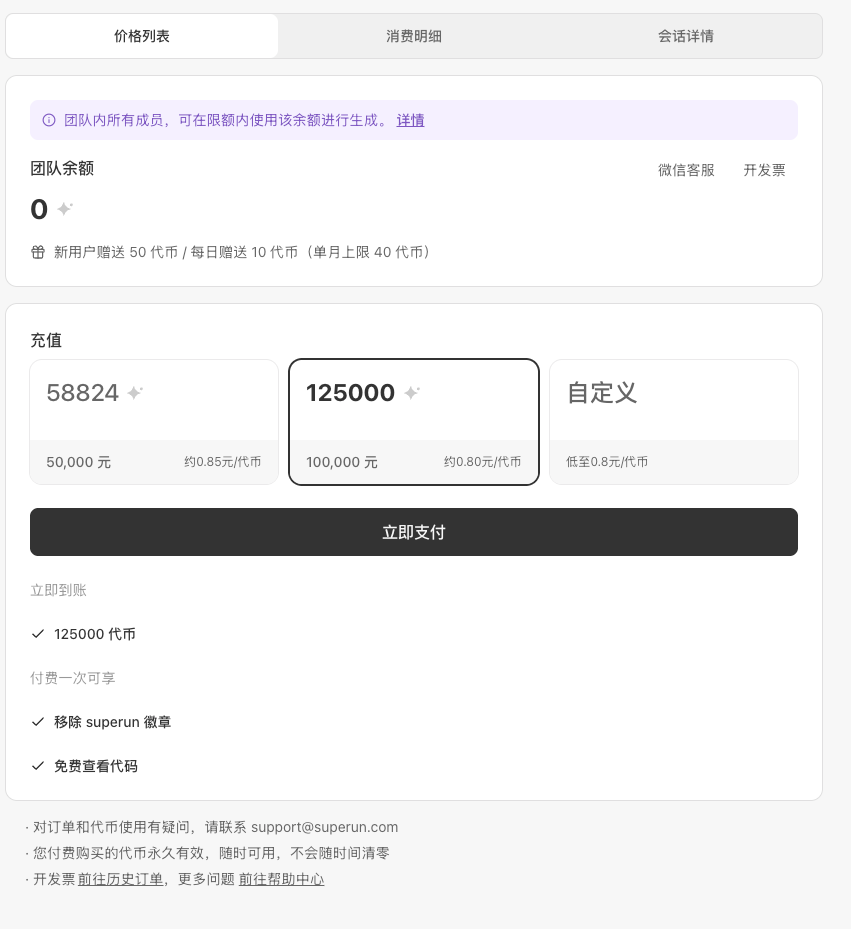
Team top-up
- New top-up page with tiered pricing—better rates at higher volumes.
- Switch between team and personal top-up on one page.
Share and invite
- Redesigned invite QR modal.
- WeChat mini program link sharing.
File handling
- Parse .docx and .xlsx uploads for generation context.
Publish experience
- Rebuilt publish panel with clearer steps.
Navigation and workspace
- Menu adds My orders.
- Workspace display names for multi-project clarity.
Other
- Redeem code top-up for personal accounts.
- More accurate touch drag on design editor.
- Clearer task status bar.
- Maintenance upgrade notices.
03/13/2026
superun — Team accounts and broad experience improvements
Team accounts
- Monthly and lifetime limits shown separately; usage filterable by workspace.
- Add members manually or bulk-import from Excel.
- Team invite link page to join or dismiss.
- Clearer low-quota dialogs; pricing shows this month’s team quota.
Style selection
- Failed style cards no longer show misleading overlay prompts.
- Selecting another style expands and highlights the matching history entry.
Multi-device preview
- Smoother phone, tablet, and desktop switching across views.
- Open in new window moved to the top tab bar.
- Simpler desktop preview arrows; invite success confirmation.
Mobile and tablet
- Smoother favorite/version history; unified history preview on phone and tablet.
- Mobile task center shows version history.
File upload
- XLSX upload support.
- More upload retries on failure.
- Clearer rejection reasons after review failure.
Balance reminders
- Auto-check token/credit balance on page load with proactive low-balance prompts.
Share and invite
- Demo hints in share panel only during Demo; hidden in Build.
- Clearer invite link confirmation copy.
Community
- Community projects browsable without sign-in.
- Community projects support auto-clone.
03/09/2026
superun — Task center, feature recommendations, and polish
Task center
- Task center for queue and version history, including mobile.
Feature recommendations
- Suggest more features entry and improved feature list layout.
Style selection
- Better style generation status, unified data source, theme names, and layout.
File upload
- Stronger upload security checks and attachment handling.
Community projects
- Community project detail page; copy button and message polish; smoother collapse animation.
User state
- Multi-tab user state sync; collaboration and message edit improvements.
Invite and share
- Email and phone validation on invites; WeChat share; invite links and QR.
Waiting games
- Mini-games while styles generate; better load-failure handling and layout.
Multi-device switching
- Device switch entry; preview tab fixes; mobile keyboard layout improvements.
02/10/2026
superun — Mobile overhaul, voice input, WeChat share, and SEO
Mobile and tablet
- Phone single-pane swipe layout and tablet two-column layout with full-screen preview.
Voice input
- iFlytek speech recognition with record button; live transcription, stop keywords, and auto submit.
WeChat share
- WeChat share config with dynamic snapshot URLs and custom options.
Style selection
- Another batch adds extra branches.
Authentication
- Conditional phone bind by region with optional skip.
Invite and collaboration
- Short link create/copy; invite rewards in home user menu.
File upload
- Drag-drop and clipboard paste uploads.
Localization
- Expanded locale support.
01/29/2026
superun — Mobile polish, localization, and feature enhancements
Mobile experience
- Improved phone and tablet layouts, smoother interaction, clearer preview.
Localization
- Emails and usage records support multiple display languages.
In-product tips
- Contextual tips while you work to help you learn faster.
Sign-in
- WeChat sign-in prioritized; registration back navigation; easier account switching.
File upload
- Batch PDF upload with stabler progress and clearer errors.
Feature checklist
- Auto-saved checklist with history and action hints when running features.
Motion
- Smoother page, card, and modal transitions.
01/23/2026
superun — Consultation polish, domain routing, tips, and browser support
Consultation
- Improved consultation APIs and interaction.
Domain routing
- Share and project pages resolve display URLs based on domain.
Home
- Home shows community project descriptions by default.
Code view
- Paid access gate and payment checks for code view.
Browser compatibility
- Fixes for older browsers.
01/15/2026
superun — Demo flow, build tutorials, and UI polish
Demo and tutorials
- Better demo viewing guidance; localized tutorials with skeleton image loading.
Build
- Feature checklist button groups; Build tab polls when checklist is empty.
Mobile
- Responsive cards and images; top banner hint on mobile.
Stability
- Session error handling with rollback; clearer branch switch errors.
12/31/2025
superun — Temporary consultation, style selection, and home flow
AI consultation
- Temporary consultation while four styles generate—tap the input to chat free with the AI advisor with full send/receive/render.
Style selection
- Auto two-column layout after the first style; chat guides style pick.
- A/B/C/D toggles in branch grid; selection uses thin borders.
- Theme switcher at bottom of preview with apply confirmation.
- Still generating? button checks session progress.
Home refresh
- Jump to project page after submit with centered transitional chat on first screen.
File storage
- superun file storage plugin registration with credit checks and updated Cloudflare R2 config.
12/18/2025
superun — Unpublish control, AI upgrades, localization, and media
Project management
- Published projects can unpublish from Launch → Publish without deleting the project.
AI and chat
- Stop logic across Chat, Ideas, Auto Fix, and Plugins with tighter multi-step locking.
- Clearer Chat Mode replies with less over-generation.
- superun image model for faster, cost-effective lightweight generation.
- Chat Mode instant translation powered by Gemini.
Localization
- Full Japanese and Korean UI packs.
Sign-in
- Shared Google OAuth settings across apps and environments.
Payments
- Alipay support with methods adjusted by backend currency settings.
Media upload
- Upload videos and other files up to 100MB each.
12/4/2025
superun — Preview regen, stability fixes, and sign-in
Preview
- Regenerate individual cards in the four-style preview without rerunning the full flow.
- Mobile/desktop preview container spacing; removed legacy Build/Launch highlight outlines.
Generation stability
- Clear errors on interrupted generation with deduplicated messages.
Sign-in
- WeChat sign-in for users who prefer WeChat login.
Plugins and auto fix
- Secret forms support Skip with stronger validation and
business_typemapping fixes.
11/26/2025
superun — Chat, localization, and PRD experience
Chat experience
- Unified auto-scroll across streams with calmer clarification and branch hints.
Localization
- Full Traditional Chinese UI and policy pages, better language detection, and English ↔ Traditional Chinese switching.
Visual and SEO
- Light mode enforced for consistency; better SEO image uploads; clearer DOM edit and image upload tooltips.
Data tools
- Guided PRD questions and built-in SQL editor to explore data in superun.
Message queue
- Queue and checklist loading tuned to prevent double submit and show in-progress state.
11/20/2025
superun — Design options and plugin management
Design options
- Multiple design options with preview images; apply the chosen option in one click.
- Improved create, select, preview, and continue state handling.
- Clearer design-option prompts in chat.
- Better card preview when panels collapse.
Plugin management
- Stripe plugin secret visibility toggle.
Requirement clarification
- User replies during clarification correctly trigger the design-options flow.
11/11/2025
superun — Project refactor and feature enhancements
Project architecture
- Project page rebuilt on option-card architecture for performance and clarity.
Feature management
- Feature list in Build card with one-click run; blocks new tasks while one is running.
Ideas and AI
- Ideas card badges and Apply banner when updates are ready.
- SQL editor schema support for better AI SQL and database work.
Content and SEO
- Visual SEO file generator for site metadata without hand-editing code.
Visual and experience
- DOM edit highlight layer avoids style bleed; smoother home and generation transitions.
- Smart message history filtering keeps latest requirement context.
Share
- Social share buttons on publish success dialog.
10/22/2025
superun — AI features launch
AI features
- Multi-model: GPT-5, Gemini 2.5, and Claude without bringing your own API keys.
- Content generation for blogs, product copy, and marketing.
- Smart forms with autocomplete, validation, and suggestions.
- Chatbots with contextual understanding.
- Content analysis on feedback and behavior patterns.
Project publish
- One-click deploy from build to production.
- Live build and deploy health monitoring.
- Multi-version releases with easy rollback.
- Dev, staging, and production environments.
10/18/2025
superun — Mobile optimization
Performance monitoring
- Google Lighthouse for performance, accessibility, best practices, SEO, and optimization tips.
Custom domains
- Dedicated domains for professional share links.
Mobile experience
- Fixed scroll on tablets and phones; better small-screen layout and readability.
10/09/2025
superun — Pricing and referral program
- Early-bird pricing for early adopters.
- Referral program: earn revenue share by sharing superun.
09/24/2025
superun — Visual editing mode
- Click elements on the page to edit visually.
- AI-assisted visual editing with live code updates.
- Smart mode switching for the best editor per task.
- In-product feedback to improve the platform.
09/18/2025
superun — Data and Supabase enhancements
Supabase integration
- Explicit confirmation before Supabase database changes.
- Supabase Edge Functions deploy and run inside the platform.
- Manage Supabase service keys in chat for faster project setup.
09/12/2025
superun — Brand and domain update
- Glow is now superun.
- New domain: https://superun.com
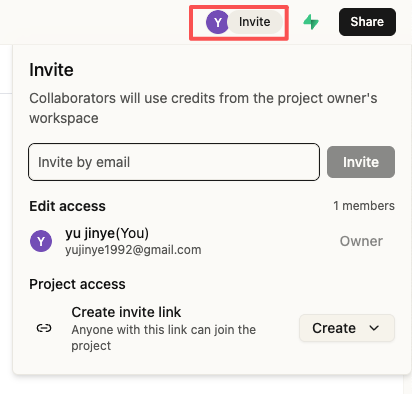
Invite members to build together
- New conversation member management.
- Search members, invite links, and permission changes.
Permission controls
- Role limits on Supabase connection actions.
- Share button options by role and state.
- Members without edit access cannot edit code.
Visual consistency
- Unified component spacing and hover/active/focus states.
- Smoother scroll and transitions.
09/10/2025
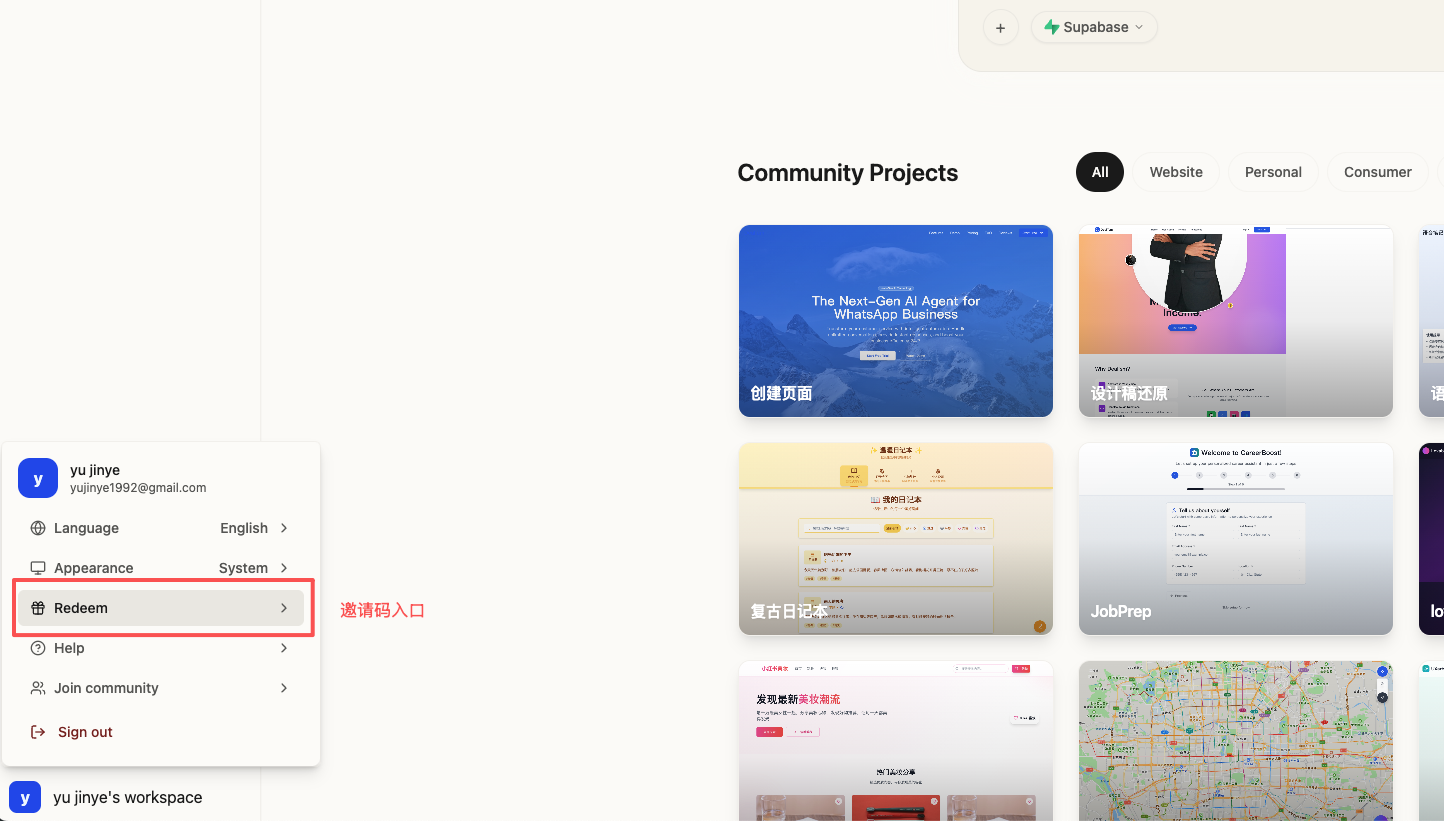
Glow — Invite codes and sharing
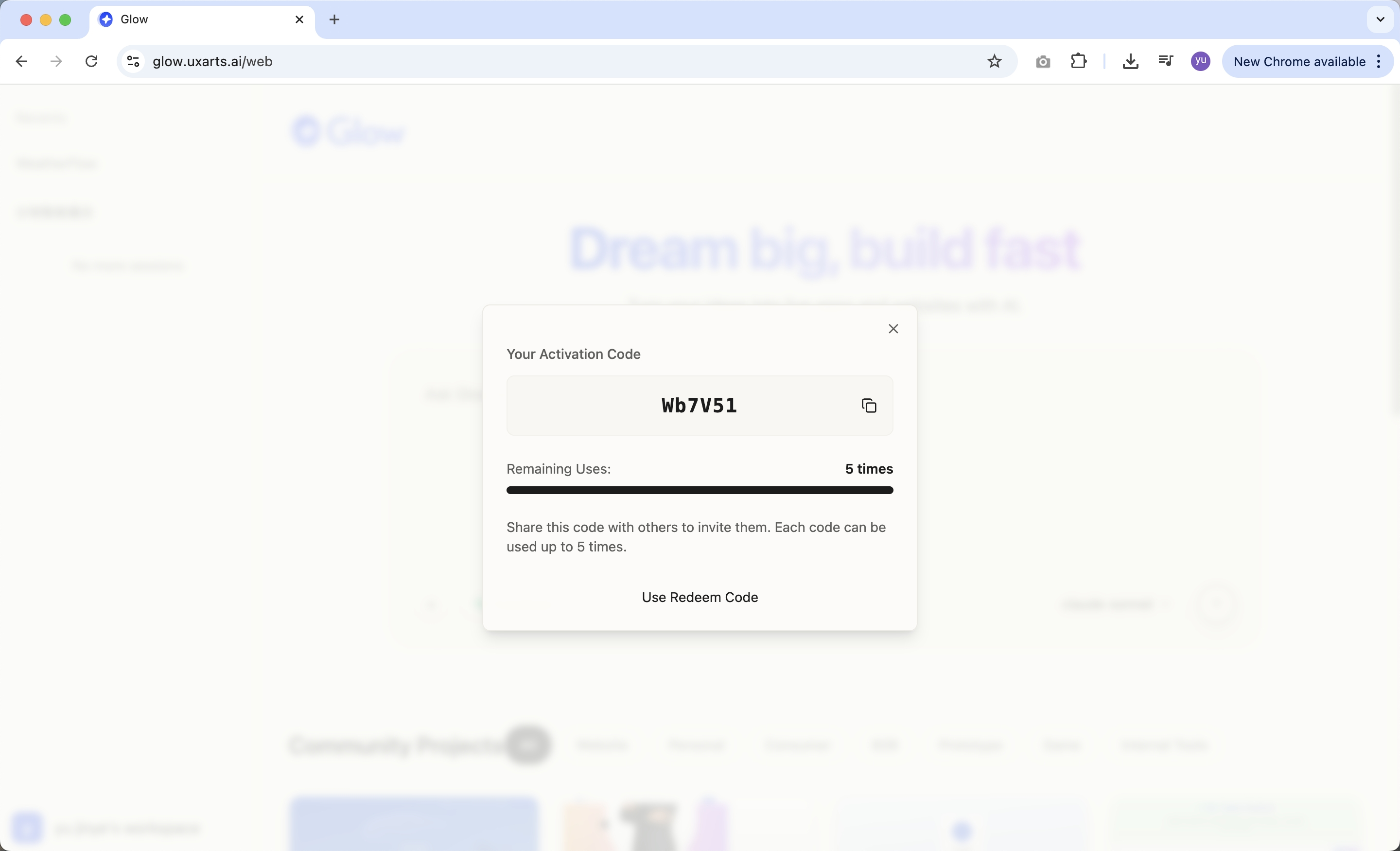
- One invite code per seed user; up to five invites per code.
- Live dashboard for usage and remaining invites.
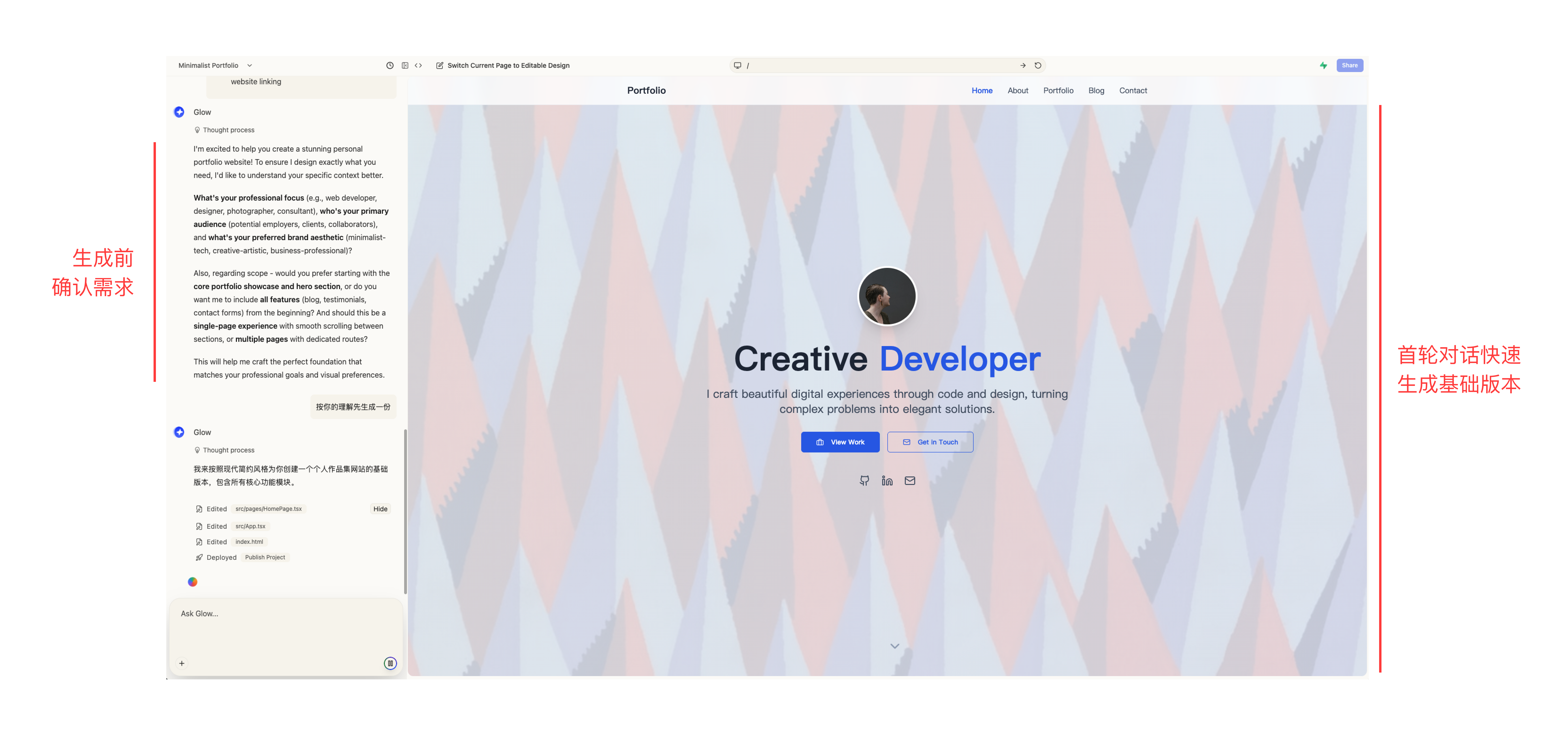
Pre-generation confirmation and staged generation
- Confirm requirements before generation for accuracy.
- First pass ships a fast baseline to lock direction quickly.
Password reset via email
- Reset password through email verification when you forget it.
09/08/2025
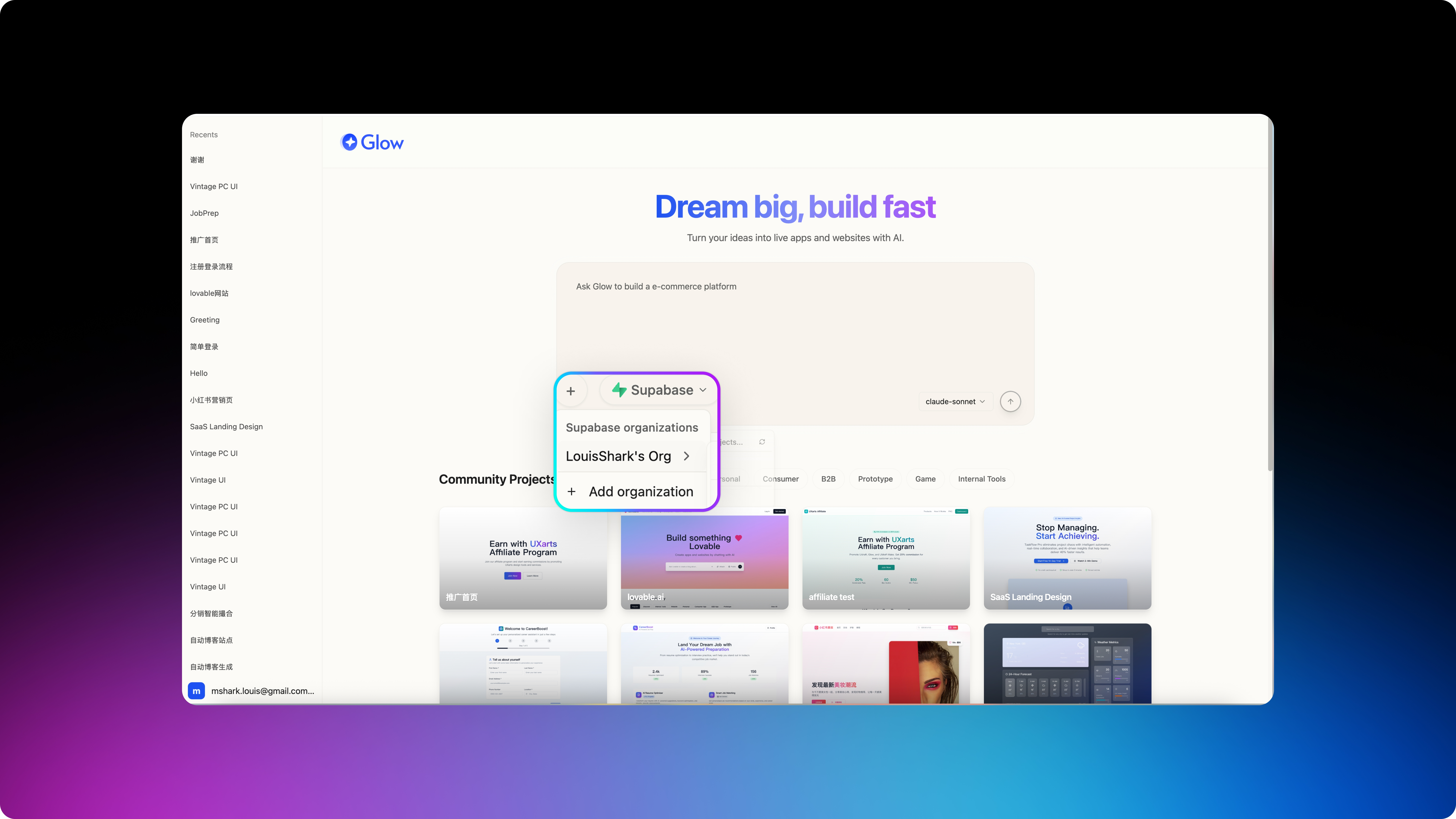
Glow — Full Supabase integration
- Smart connection management with auto-detect and one-click reconnect.
- Live database status monitoring.
- Full backend API development tools.
- Database query and management.
- Simplified third-party login setup.
- Frontend, backend, and database in one platform.
Faster, smoother prototype editing
- Smoother interaction, cleaner UI, fewer distractions.
- Smarter feedback and status hints.
- More natural click, drag, and edit feel.
Version management is live
- Automatic version history and simple previews.
- One-click restore to any prior version.
- Experiment freely—you can always return to a stable state.