

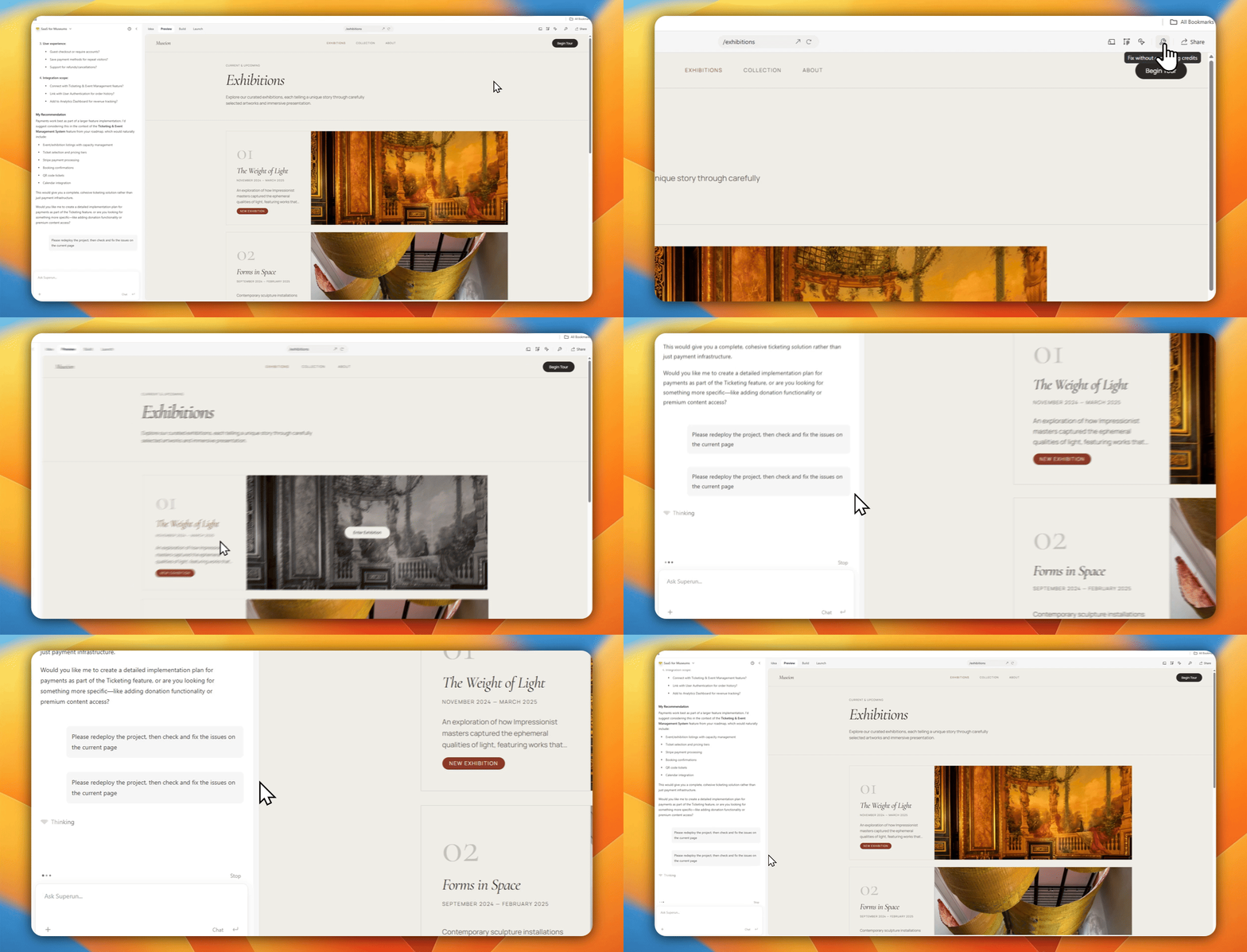
Input @ menu and Auto-fix entry
Auto-fix itself is completely free for system / deploy / environment issues. Start it from the in-product Auto-fix button / entry (location as in UI—for example Preview or quality tools).Typing
@fix in the input is retired. Use the on-screen Auto-fix entry—do not rely on typing @fix.@ in the input still opens other quality tools (as shown in product):
Auto-fix free boundary
- Good for: page errors, service / database connection issues, session issues after top-up—“fix the outage” cases.
- Not a free lane for: complex business rewrites or new features; those bill as normal Build work. If unsure, start with Free consultation.
@code review
For permissions / database, large changes, or continuing generation after consultation, Su Xiaoqiang may proactively offer a review in the Development phase (not during Demo).
- If you do not specify a scope, review defaults to the last round of changes; you can name pages, features, or files.
- When Su Xiaoqiang proactively offers a review, it usually looks only at code related to that recent change — not the entire project.
- To review more pages or features, type @code review yourself and say what to cover (billed in-product).
- Review uses version history and confirmed plans to check for gaps, drift, or extra impact.
- After review, you may be prompted to continue with browser verification — a review → verify loop.
- The prompt card supports Not now to dismiss locally without repeat nags.
Pricing
Code review pricing depends on how it is started; always follow in-product messaging:- Review started from Su Xiaoqiang’s proactive prompt: currently free; usually covers only the recent related changes.
- Review you start with @code review: billed in-product — use when you want wider coverage.
@auto test
When a feature is done, Su Xiaoqiang can one-tap prompt @auto test to validate in a real browser. End-to-end testing supports two modes:
- You can specify a page, flow, or feature; if unspecified, the default is the last completed change.
- For very large scope, you are guided to the Smart testing panel for batch planning and runs.
- Enhanced checks for visual issues (overflow, overlap, scroll misalignment, clipped modals, etc.); your screenshots are preferred as reference when provided.
- Richer failure screenshots; if the test script fails to compile, the UI shows failed to run instead of a misleading 0 passed / 0 failed.
Temporary login identity (authorization required)
If auto-test needs a temporary login identity:- It asks for explicit authorization first; nothing is written without approval.
- After the test, the identity is cleaned up and deletion is verified.
- Temporary identities must use documented secure paths from installed skills; do not edit auth system tables directly or invent bypasses.
💡 Auto-fix is completely free (use the button entry). @code review is currently free when Su Xiaoqiang pushes it proactively; user-initiated review is billed in-product; check pricing for @auto test before use. Pick the right tool before asking the AI to iterate blindly.
superun website
Visit the superun website for more features and examples.