

superun overview
Welcome. This guide walks you through building a complete full-stack application with superun.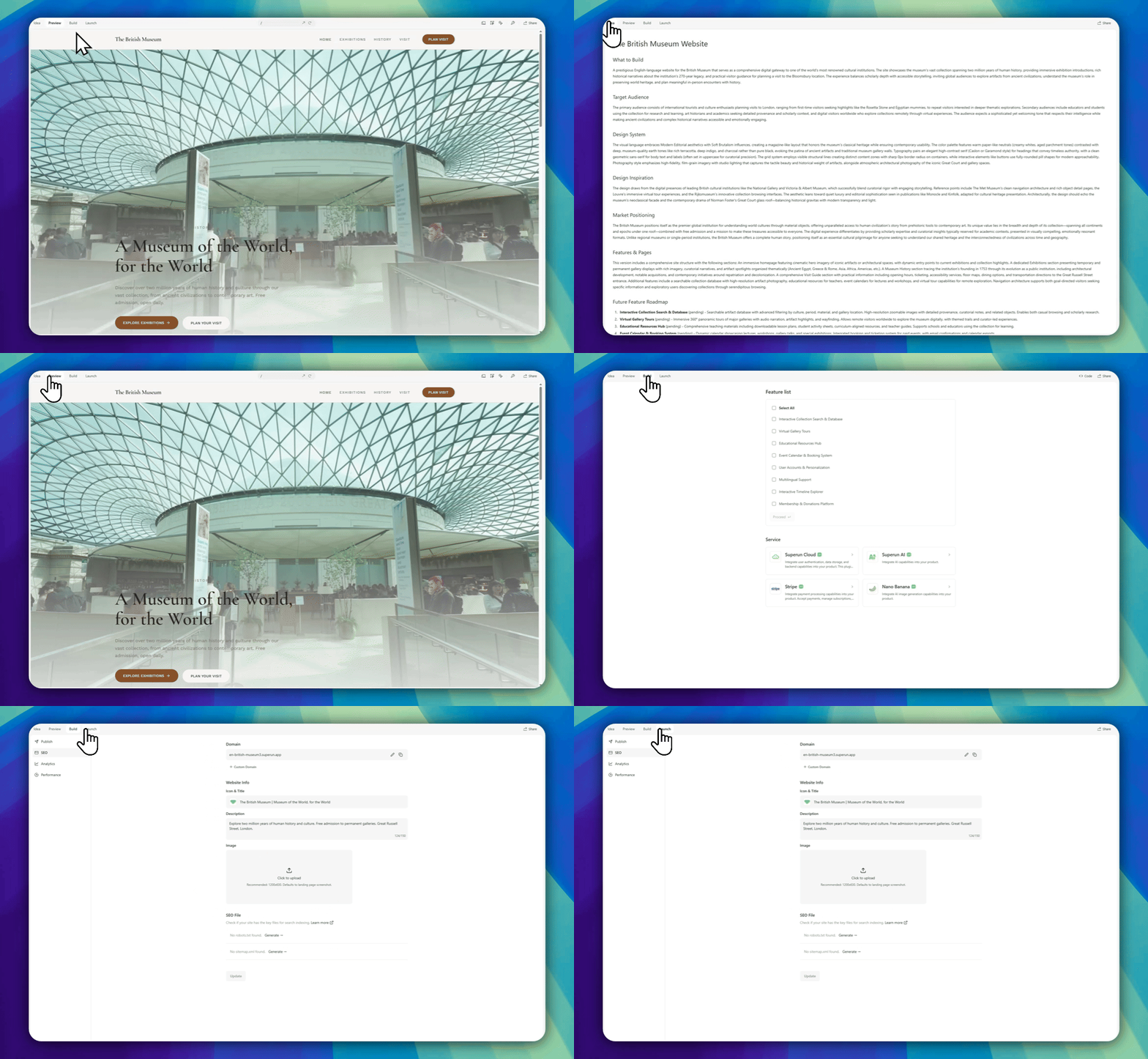
Step 1 · Idea
Turn an idea into a product blueprint
Start by describing the product you want to build.- Write a prompt that explains your product idea
- Answer a few short guiding questions
- superun organizes your input into a structured project foundation
Step 2 · Preview
Explore, edit, and refine your product visually
Before you build features, superun lets you confirm direction visually.- Preview free Concept A; commission a senior designer only if you want another concept
- Select a completed concept to continue; Demo opens automatically when scenarios are ready and the generation round ends
- View a live product preview of full pages
- Use editable design tools to adjust the UI freely
- Select on-screen elements to change layout, content, spacing, and styles
- Describe what you need in natural language and let superun update the interface
Step 3 · Build
Define features, logic, and integrations
In Build, you decide what the product can do and how it works.- Feature List helps you choose the core capabilities your product needs
- Each feature option generates matching UI, data models, and backend logic
- superun Cloud: authentication, database, and backend capabilities
- superun AI: AI-powered interaction and generation
- Stripe: payments and subscriptions
- superun image generation: AI images
- Supabase: external database and backend integration
💡 Understand the workflow: In superun you will meet three key concepts:→ Learn more: BuildDemo is complete when: after signing up via an invite link, you enter a requirement in superun, generate a concept, select it, and finish the demo.
- Demo: Frontend only — validate ideas and flows with fake data
- Prototype: Equivalent to demo; does not include development
- Development: Wire real capabilities (such as sending email) so the product can serve other users
Step 4 · Launch
Publish, optimize, and keep tracking
When your project is ready, go live.- Set site title, description, and social share previews
- Configure SEO and domain settings
- Publish and share your product
- Track performance and analytics
What’s next?
Keep exploring the docs for each feature and advanced usage.superun website
Visit the superun website for more product information and the latest updates.