

Overview
- Start a cut-a-deal invite; friends help you earn Compute Credits
- Share via WeChat QR, links, DingTalk, Feishu, WeCom, and more
- Dedicated landing pages for PC and mobile
- Compute Credits credit automatically after a successful help
Start a cut a deal
- Open any personal project
- Click Share, then Cut a deal in the share panel
- The system generates a short link and QR code
- Share via:
- Copy link — paste to friends
- QR code — scan to join

How friends help
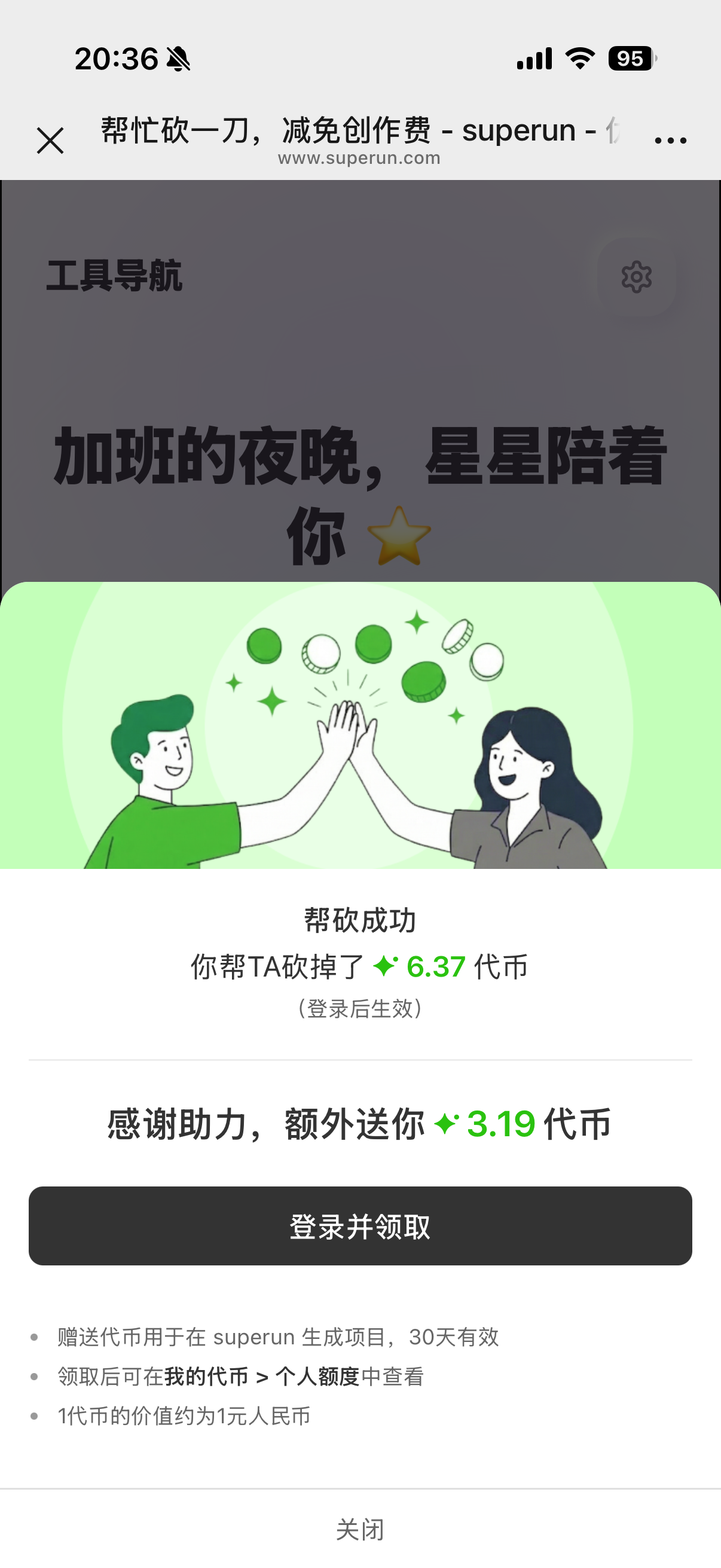
Friends open your link or scan the QR:- Open the cut-a-deal link (PC or mobile)
- See your project preview and campaign info
- Tap Cut a deal to help
- Logged in — Compute Credits apply automatically
- Not logged in — guided to log in, then rewards apply

Payout and history
- Compute Credits credit to your personal account after a successful help
- View cut-a-deal bonuses under My Compute Credits → Personal balance → Gifted Compute Credits
- Tooltips show subsidy details from friends

WeChat sharing
When sharing inside WeChat:- Share cards use tailored title and description
- In personal WeChat’s in-app browser, WeChat limits the landing page to campaign info only — cutting is not supported. Open the link in an external browser to participate
Start from chat
Besides the share panel, you may see Start cut a deal in project chat — it opens the same share dialog.FAQ
How long is a cut-a-deal link valid?
How long is a cut-a-deal link valid?
Each link has its own token; expired links show an error. Generate a new link from the share panel.
Must friends log in to help?
Must friends log in to help?
Helping does not require login, but claiming rewards does. After helping while logged out, login completes payout automatically.
Where do I see credited Compute Credits?
Where do I see credited Compute Credits?
Under gifted Compute Credits in personal balance, labeled as cut-a-deal activity — click for details.