

How Branch Generation Works
Superun doesn’t immediately generate a single interface—instead, it first produces four different design branches based on your prompt and product requirements. Each branch reflects a different layout style, visual direction, and interpretation of your intended product identity.This gives you meaningful choices early in the process, reduces rework, and ensures Superun builds the final interface according to the direction you select.
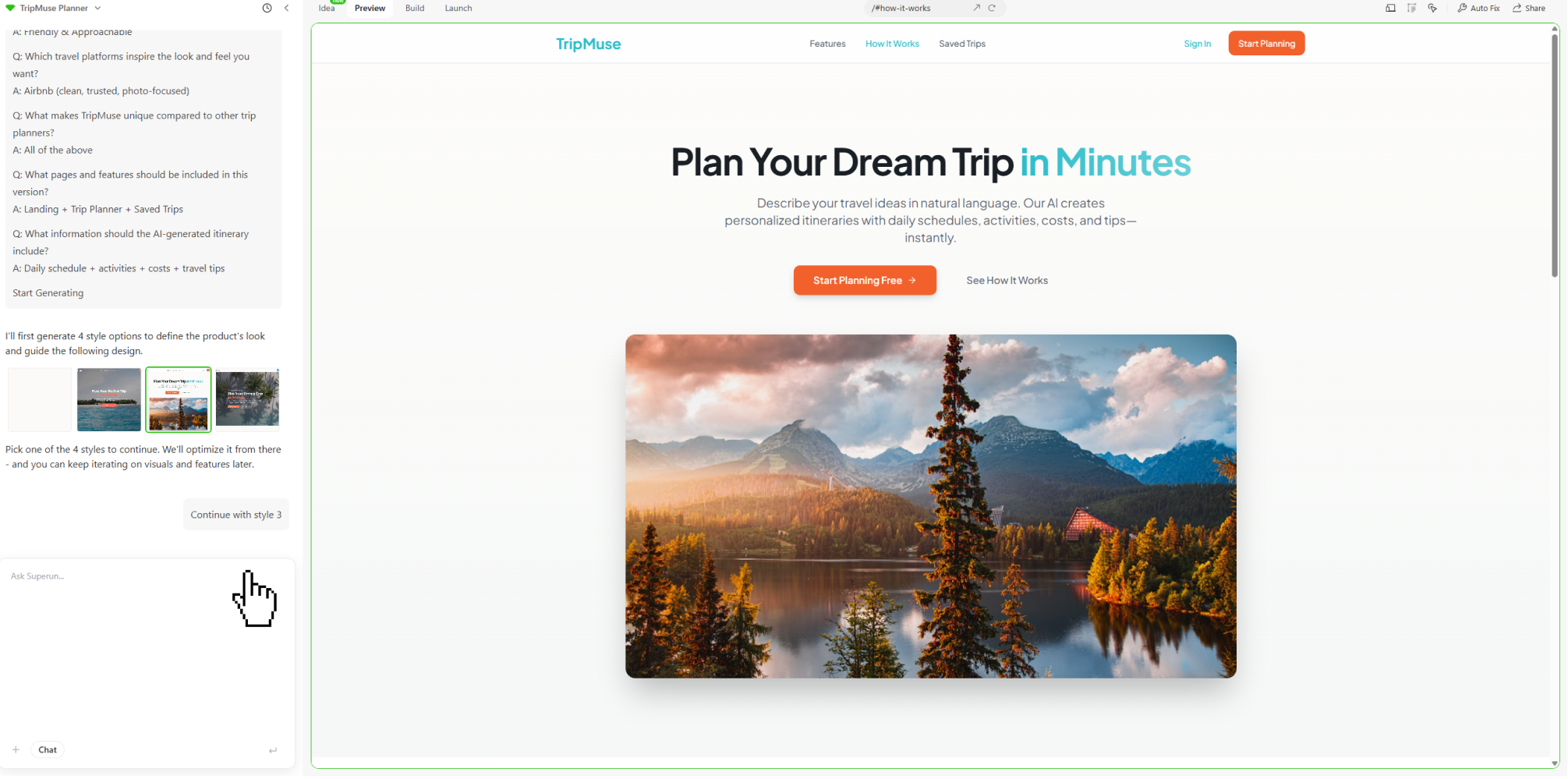
Branch Generation Workflow
1. Initial Prompt & Clarification
Superun may ask a few quick clarification questions after your initial prompt to better understand product goals, audience, and visual tone.These answers guide the creation of the four branches.
2. Generate Four Branches
Superun produces four distinct style branches, each showcasing a different structural and visual interpretation of your project.This allows you to compare overall direction at a glance.
3. Review & Adjust
Browse the four branches and identify the direction that best matches your vision.If a specific branch preview is not ideal, you can now regenerate that single preview card without restarting the entire process.
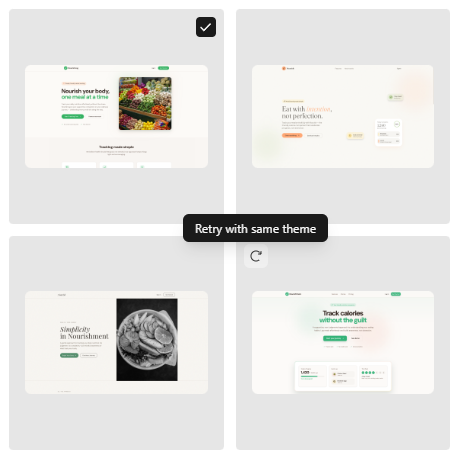
4. Select Branch
When you select your preferred branch, Superun uses its style as the foundation for all subsequent layout generation and refinement. You can also return to this branch selection step at any time, even after building, editing, or modifying your project.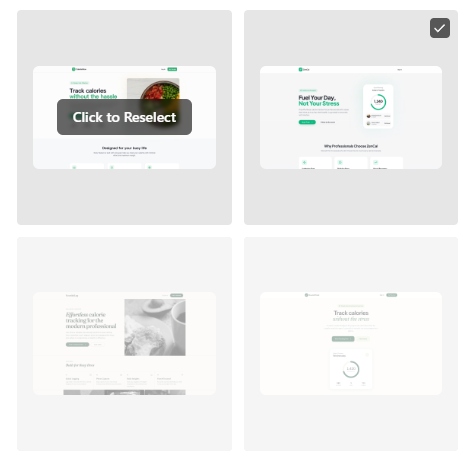
Final Result
By selecting a branch—and optionally regenerating individual previews—you establish a clear design direction early in the process. Superun then generates a complete and consistent interface aligned with that direction.And because you can revisit and change your selected branch at any time, your project remains flexible, allowing the entire generation workflow to evolve with your product needs.
Superun Website
View examples of Superun products and features.