> ## Documentation Index
> Fetch the complete documentation index at: https://docs.superun.ai/llms.txt
> Use this file to discover all available pages before exploring further.

# 從參考圖案中重現設計風格

## 場景

您已經擁有一個設計精美的頁面,並希望擴展更多具有相同視覺風格的屏幕.

## 挑戰

手動保持新頁面之間的視覺一致性需要花費大量時間和精力.

## 如何讓 prompt.to.design 提供協助

* 上傳參考圖像或選擇現有 **Figma 框架**
* 輸入提示並選擇目標設備尺寸
* 點擊**生成**讓插件分析參考佈局,間距,color和样式規則
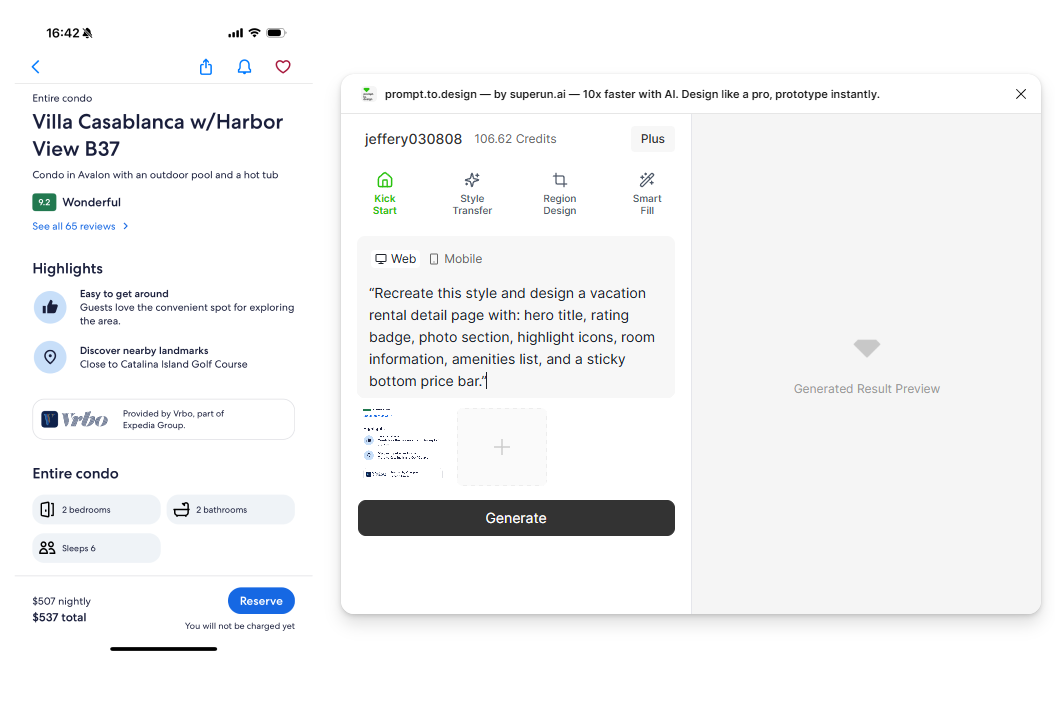
<img src="https://mintcdn.com/uxarts/UM9wkb-xhueNg0Cg/images/design-from-reference/1.png?fit=max&auto=format&n=UM9wkb-xhueNg0Cg&q=85&s=4585863c37084be1faf15c67f0ab9561" alt="Reference setup and prompt input" style={{ marginTop: '1rem', borderRadius: '8px' }} width="1055" height="717" data-path="images/design-from-reference/1.png" />

* 生成開始.右側面板將顯示 prompt.to.design 對參考風格與您請求的分析結果.
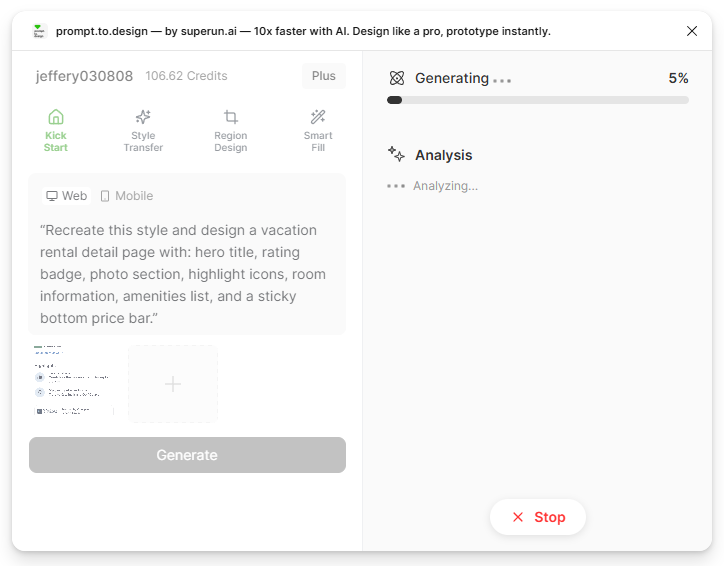
<img src="https://mintcdn.com/uxarts/UM9wkb-xhueNg0Cg/images/design-from-reference/2.png?fit=max&auto=format&n=UM9wkb-xhueNg0Cg&q=85&s=23f0e09ce94c9db2af5ecef6593c994c" alt="AI analysis screen" style={{ marginTop: '1rem', borderRadius: '8px' }} width="724" height="566" data-path="images/design-from-reference/2.png" />

* 查看生成的結果,如有需要進行完善,或**導入到 Figma** to continue your work.
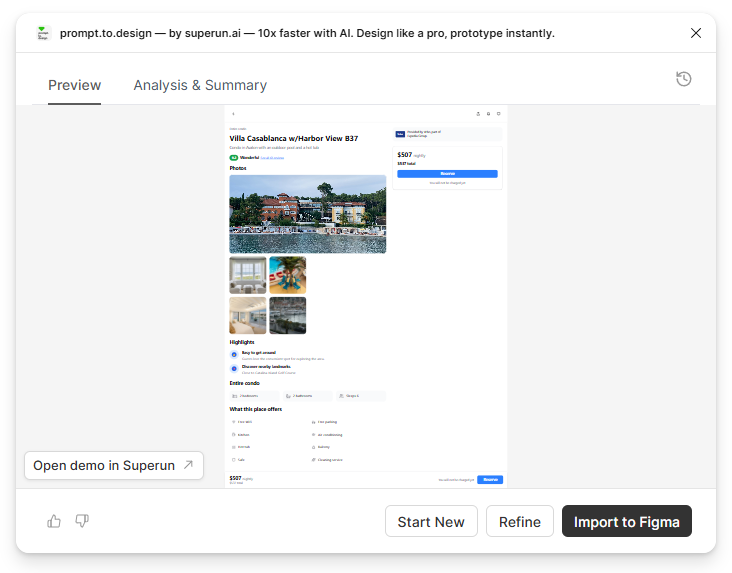
<img src="https://mintcdn.com/uxarts/UM9wkb-xhueNg0Cg/images/design-from-reference/3.png?fit=max&auto=format&n=UM9wkb-xhueNg0Cg&q=85&s=130fc3f10e0fa8ca3966ee2d85409a01" alt="Preview generated design" style={{ marginTop: '1rem', borderRadius: '8px' }} width="732" height="573" data-path="images/design-from-reference/3.png" />

***

## ✔ The generated page matches the reference visually and remains fully editable in Figma
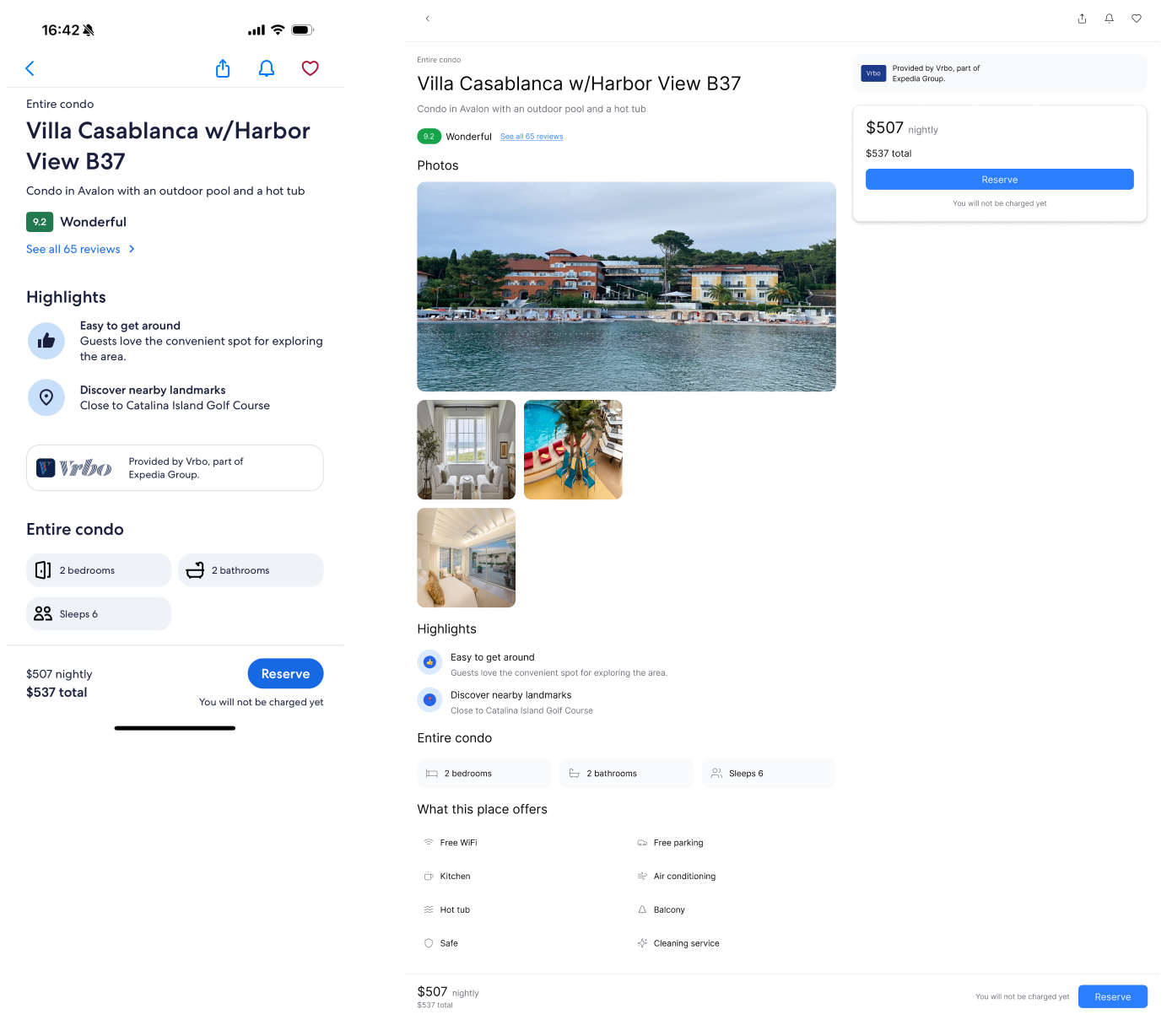
<img src="https://mintcdn.com/uxarts/UM9wkb-xhueNg0Cg/images/design-from-reference/4.png?fit=max&auto=format&n=UM9wkb-xhueNg0Cg&q=85&s=57053563a7d25eb8043f96d1a42a5885" alt="Reference vs output comparison" style={{ marginTop: '1rem', borderRadius: '8px' }} width="1389" height="1228" data-path="images/design-from-reference/4.png" />
