> ## Documentation Index
> Fetch the complete documentation index at: https://docs.superun.ai/llms.txt
> Use this file to discover all available pages before exploring further.

# 自動修復凌亂的佈局

## 設想

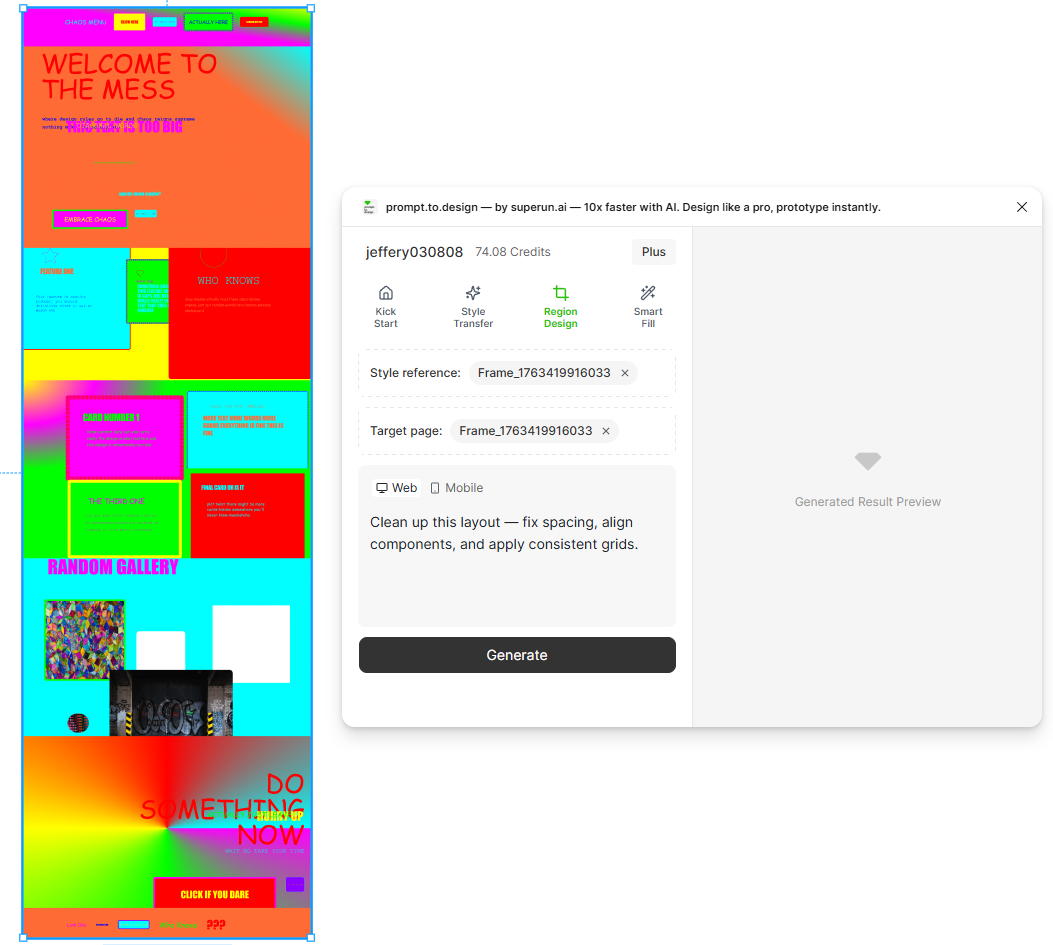
您的 Figma 文件包含未對齊的框架,不均勻的間距和不一致的組件使用情況.

## 挑戰

手動清潔既痛苦又耗時.

## 如何讓 prompt.to.design 提供協助

* 選擇凌亂的屏幕
* 應用清理提示
* 該插件重組了間距,對齊方式,網格使用和組件一致性
* 立即將混亂轉變為乾淨,可用於生產的佈局
<img src="https://mintcdn.com/uxarts/UM9wkb-xhueNg0Cg/images/messy-redesign/1.png?fit=max&auto=format&n=UM9wkb-xhueNg0Cg&q=85&s=cccd9efd2089239e2249acb6d1582748" alt="Messy layout selected with cleanup prompt" style={{ marginTop: '1rem', borderRadius: '8px' }} width="1053" height="945" data-path="images/messy-redesign/1.png" />

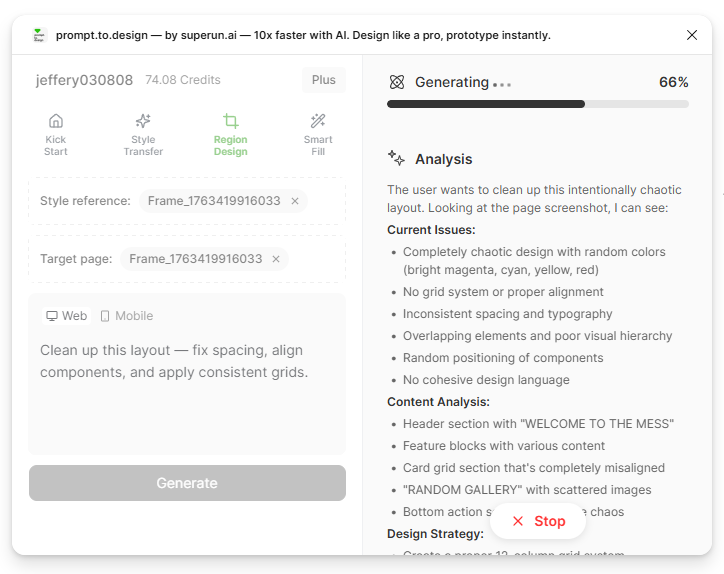
* 生成開始.右側面板顯示 prompt.to.design 的分析與清理計劃.
<img src="https://mintcdn.com/uxarts/UM9wkb-xhueNg0Cg/images/messy-redesign/2.png?fit=max&auto=format&n=UM9wkb-xhueNg0Cg&q=85&s=71bdbae2b3395477ac3db7beea7adf67" alt="AI cleanup analysis" style={{ marginTop: '1rem', borderRadius: '8px' }} width="724" height="574" data-path="images/messy-redesign/2.png" />

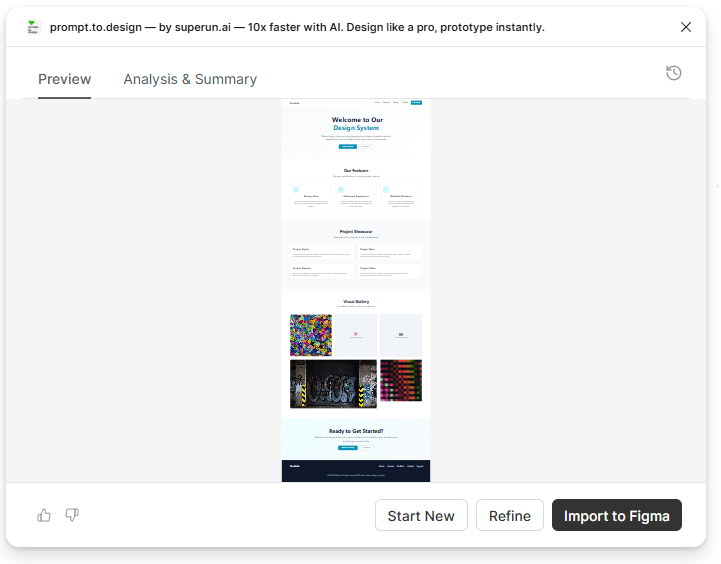
* 查看清理後的輸出,如有需要進行完善,或**導入到 Figma**

<img src="https://mintcdn.com/uxarts/UM9wkb-xhueNg0Cg/images/messy-redesign/3.png?fit=max&auto=format&n=UM9wkb-xhueNg0Cg&q=85&s=6225880bb5012024c8eb0fdcdbe8c74c" alt="Preview of cleaned layout" style={{ marginTop: '1rem', borderRadius: '8px' }} width="721" height="564" data-path="images/messy-redesign/3.png" />

***

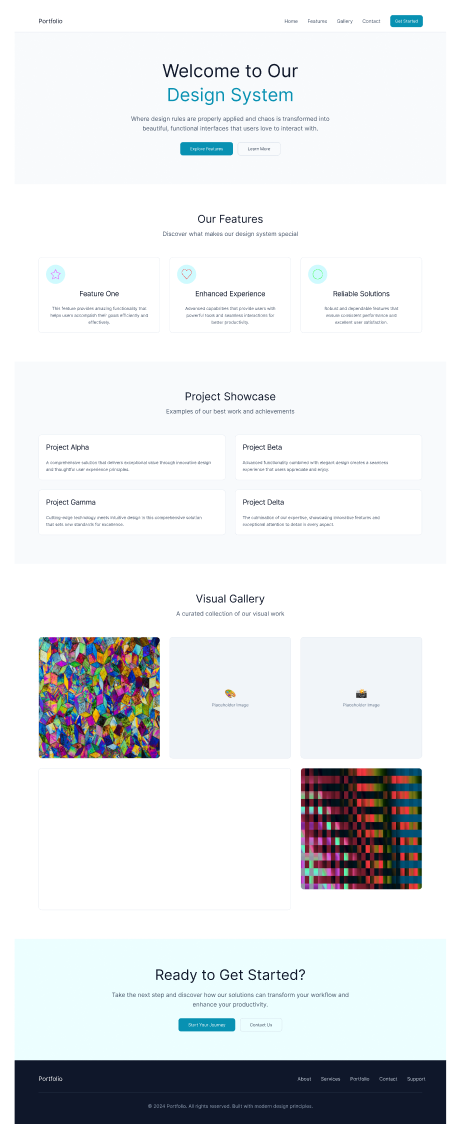
## ✔ 整潔,網格對齊,生產質量的佈局 — 自動修復

<img src="https://mintcdn.com/uxarts/UM9wkb-xhueNg0Cg/images/messy-redesign/4.png?fit=max&auto=format&n=UM9wkb-xhueNg0Cg&q=85&s=355401a9ddbebb1e207c36d367864b0a" alt="Final cleaned layout" style={{ marginTop: '1rem', borderRadius: '8px' }} width="464" height="1145" data-path="images/messy-redesign/4.png" />

***