> ## Documentation Index
> Fetch the complete documentation index at: https://docs.superun.ai/llms.txt
> Use this file to discover all available pages before exploring further.

# 確保各團隊間風格一致性

## 場景

團隊經常單獨設計頁面,導致整個產品的color,排版和間距不一致.

## 挑戰

手動確保對齊既耗時又容易出錯.

## 如何讓 prompt.to.design 提供協助

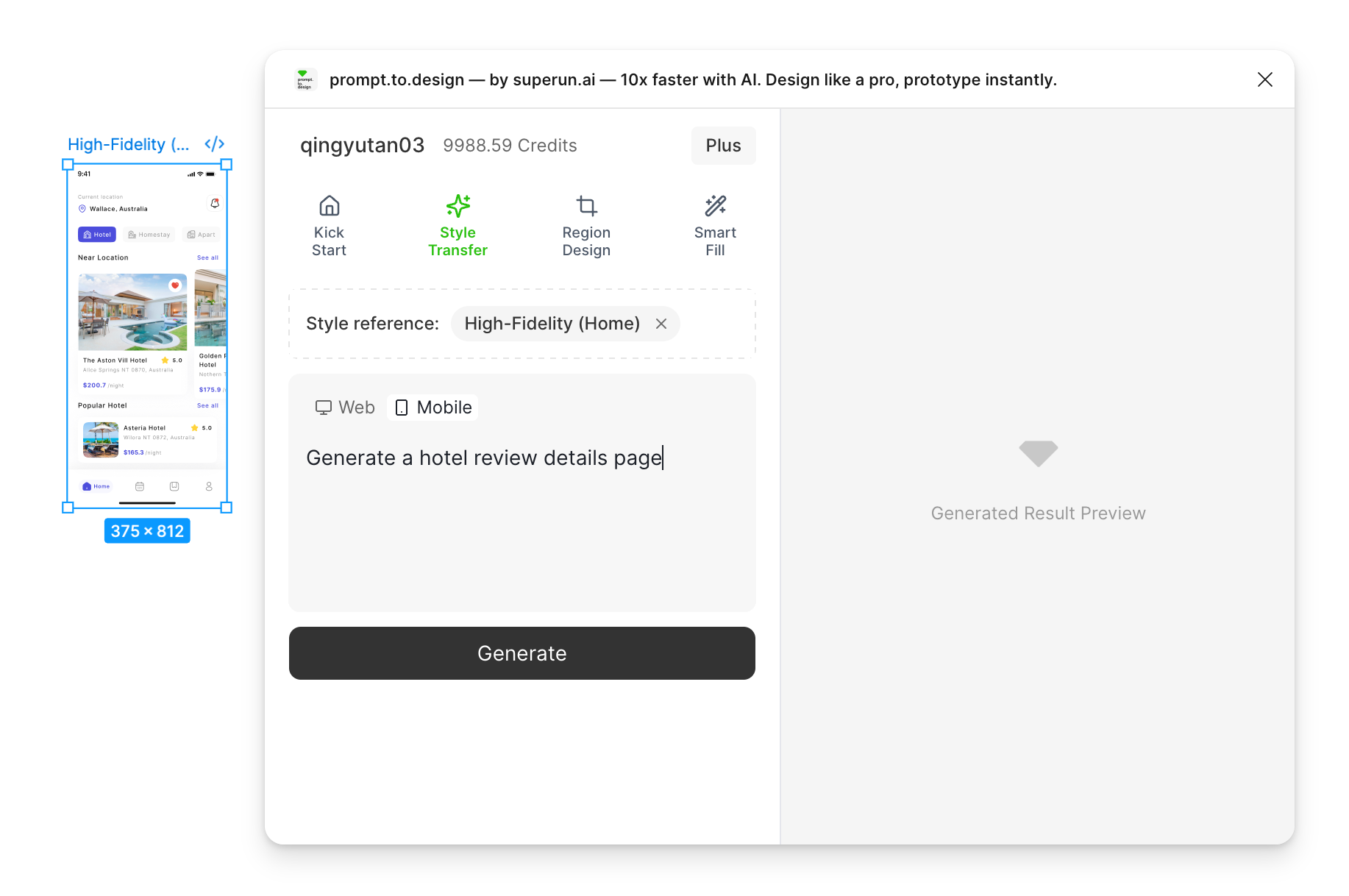
* 在 Figma 中打開插件並選擇 **Style Transfer** 功能
* 選擇最終設計**Frame**作為您的參考
* 輸入提示,選擇設備尺寸,然後單擊 **生成**
<img src="https://mintcdn.com/uxarts/UM9wkb-xhueNg0Cg/images/maintain-style-consistency/1.png?fit=max&auto=format&n=UM9wkb-xhueNg0Cg&q=85&s=6794a821c067cecf52ed7677aaad9758" alt="Style Transfer setup" style={{ marginTop: '1rem', borderRadius: '8px' }} width="1834" height="1218" data-path="images/maintain-style-consistency/1.png" />

* 一代開始.右側面板將display人工智能對參考style的分析和您的提示.

<img src="https://mintcdn.com/uxarts/UM9wkb-xhueNg0Cg/images/maintain-style-consistency/2.png?fit=max&auto=format&n=UM9wkb-xhueNg0Cg&q=85&s=975b1e96f1c78e826acd678dbe1f0caf" alt="AI Analysis" style={{ marginTop: '1rem', borderRadius: '8px' }} width="1550" height="1210" data-path="images/maintain-style-consistency/2.png" />

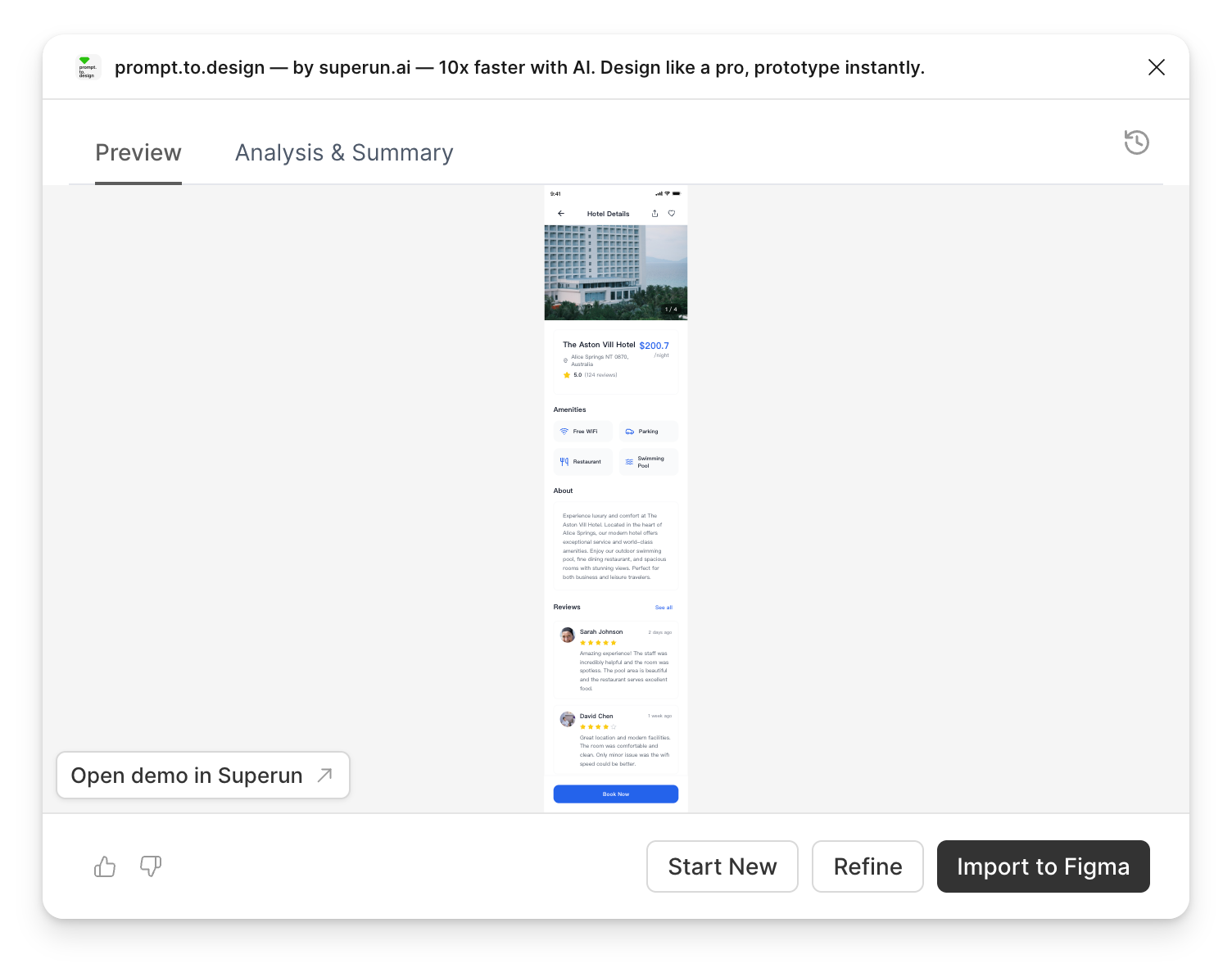
* 查看結果,完善輸出,或**導入到 Figma**.

<img src="https://mintcdn.com/uxarts/UM9wkb-xhueNg0Cg/images/maintain-style-consistency/3.png?fit=max&auto=format&n=UM9wkb-xhueNg0Cg&q=85&s=59e855ebda680ee919fedb130960e4df" alt="Preview generated output" style={{ marginTop: '1rem', borderRadius: '8px' }} width="1504" height="1182" data-path="images/maintain-style-consistency/3.png" />

***

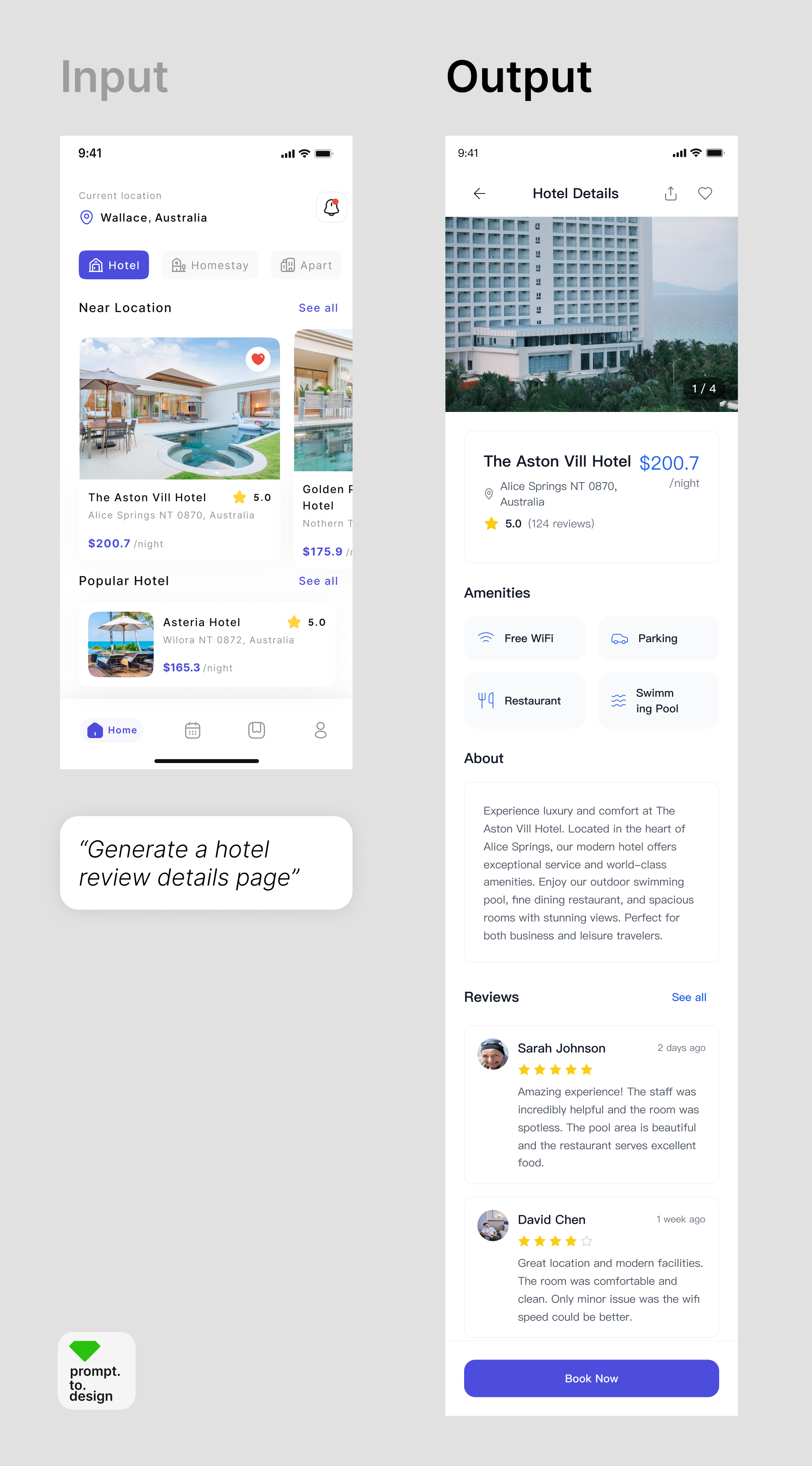
## ✔ 輸出在視覺上與參考樣式匹配並且完全可編輯

<img src="https://mintcdn.com/uxarts/UM9wkb-xhueNg0Cg/images/maintain-style-consistency/4.png?fit=max&auto=format&n=UM9wkb-xhueNg0Cg&q=85&s=d2f0be8a525cf56271869a0e0fa8e2d9" alt="Input vs Output comparison" style={{ marginTop: '1rem', borderRadius: '8px' }} width="2082" height="3758" data-path="images/maintain-style-consistency/4.png" />