> ## Documentation Index
> Fetch the complete documentation index at: https://docs.superun.ai/llms.txt
> Use this file to discover all available pages before exploring further.

# 更新或改造现有设计

## 场景

您想要对旧的 UI 进行现代化改造,但保留其结构.

## 挑战

手动重构 UI 速度慢且容易出错.

## 如何让 prompt.to.design 提供协助

* 选择您想要刷新的旧 **Prompt.to.design 框架**
* 输入现代化提示,例如:
  **“使此设置页面现代化,同时保持相和的布局结构.使用更清晰的排版,更新的表单组件,改进的间距和更精美的侧边栏设计.”**
* 单击**生成**以应用焕然一新的现代风格
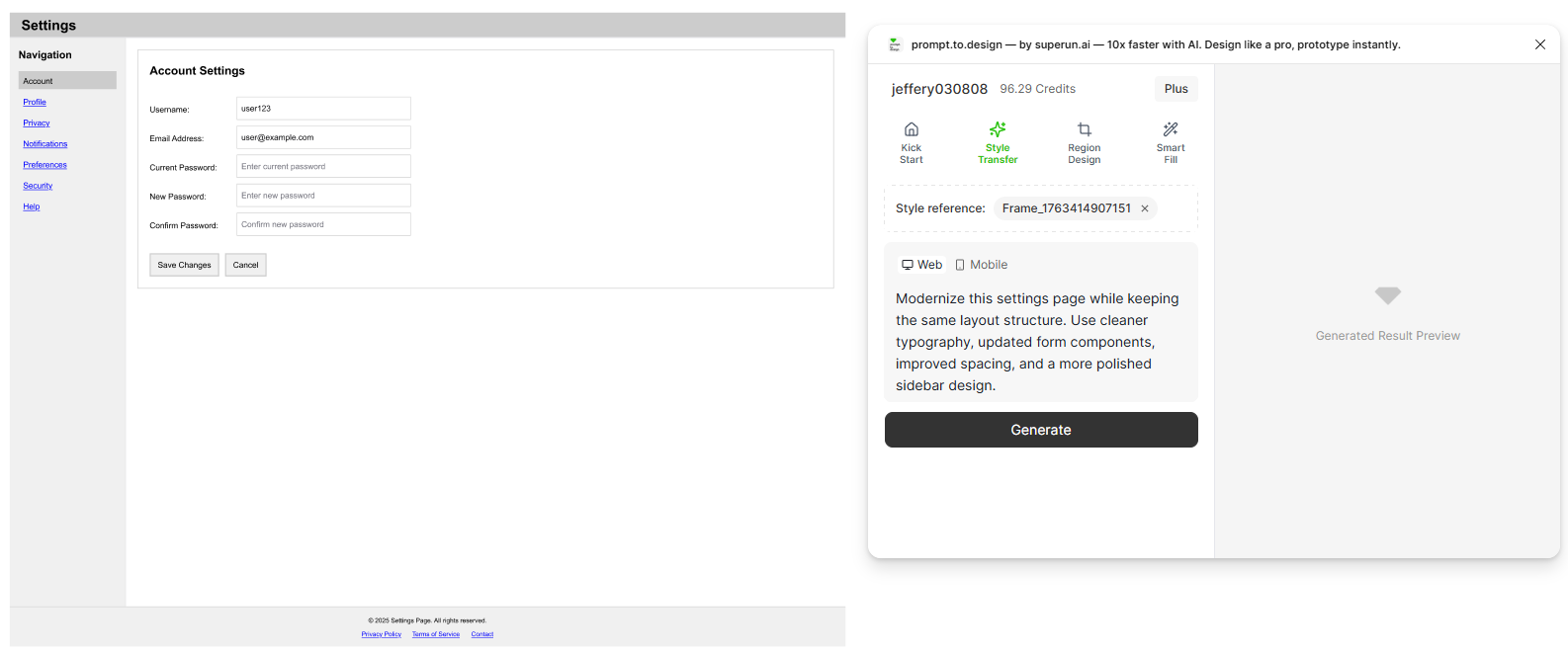
<img src="https://mintcdn.com/uxarts/AyY1SLtgmf3f_Ggt/images/update-oldframe/1.png?fit=max&auto=format&n=AyY1SLtgmf3f_Ggt&q=85&s=0da2d64338d31d6d8c341f18d4775417" alt="Select old frame and apply modernization prompt" style={{ marginTop: '1rem', borderRadius: '8px' }} width="1586" height="663" data-path="images/update-oldframe/1.png" />

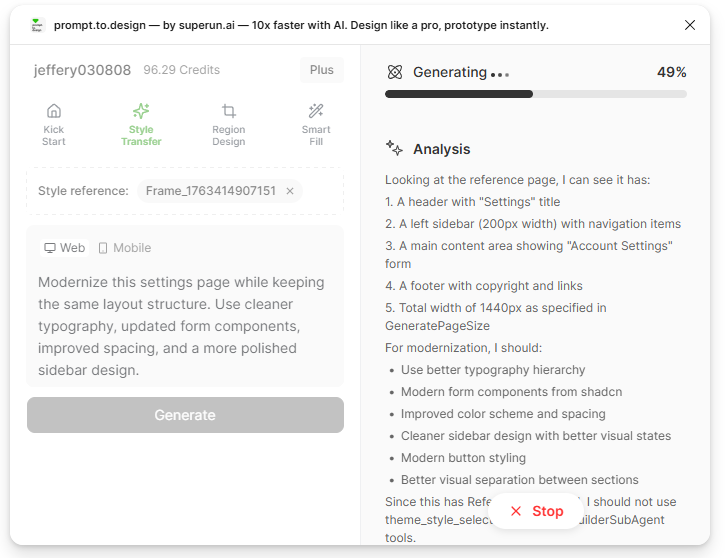
* 生成开始.右側面板显示AI对旧版布局的分析结果及推荐的风格改进方案.

<img src="https://mintcdn.com/uxarts/AyY1SLtgmf3f_Ggt/images/update-oldframe/2.png?fit=max&auto=format&n=AyY1SLtgmf3f_Ggt&q=85&s=474e50db748709cd738173c49a8d73dd" alt="Modernization analysis" style={{ marginTop: '1rem', borderRadius: '8px' }} width="725" height="558" data-path="images/update-oldframe/2.png" />

* 在预览中查看更新的设计,如有必要进行完善,或**导入到 Figma**.
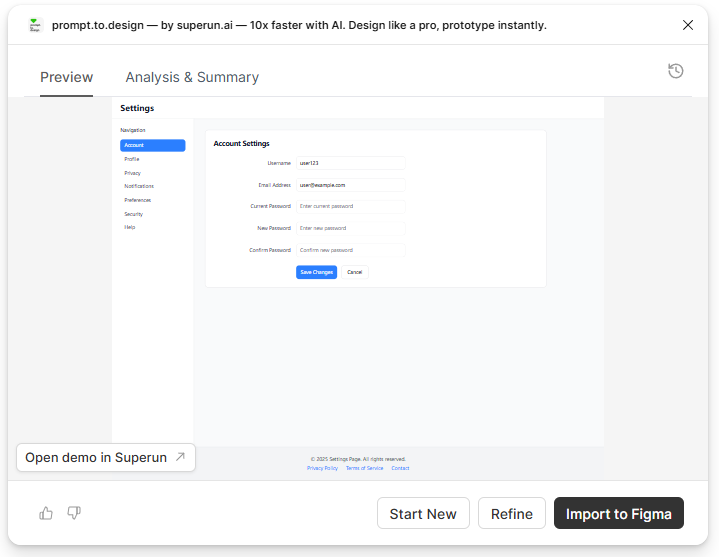
<img src="https://mintcdn.com/uxarts/AyY1SLtgmf3f_Ggt/images/update-oldframe/3.png?fit=max&auto=format&n=AyY1SLtgmf3f_Ggt&q=85&s=0757808d1328eafbdf39429723515134" alt="Preview modernized UI output" style={{ marginTop: '1rem', borderRadius: '8px' }} width="719" height="557" data-path="images/update-oldframe/3.png" />

***

## ✔ 设置页面使用现代 UI 组件进行升级 - 同时保留原始布局结构
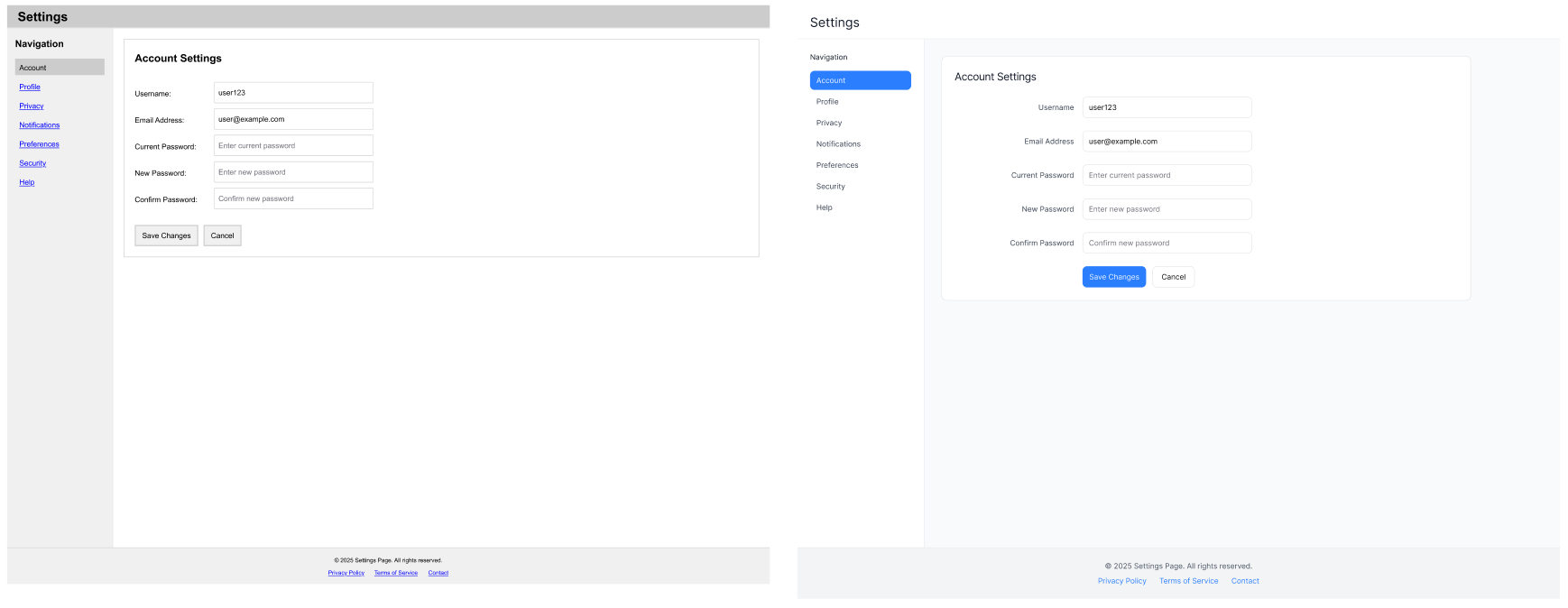
<img src="https://mintcdn.com/uxarts/AyY1SLtgmf3f_Ggt/images/update-oldframe/4.png?fit=max&auto=format&n=AyY1SLtgmf3f_Ggt&q=85&s=aebc117b1450bd949f3bb993bb85211e" alt="Before and after modernization comparison" style={{ marginTop: '1rem', borderRadius: '8px' }} width="1738" height="674" data-path="images/update-oldframe/4.png" />